
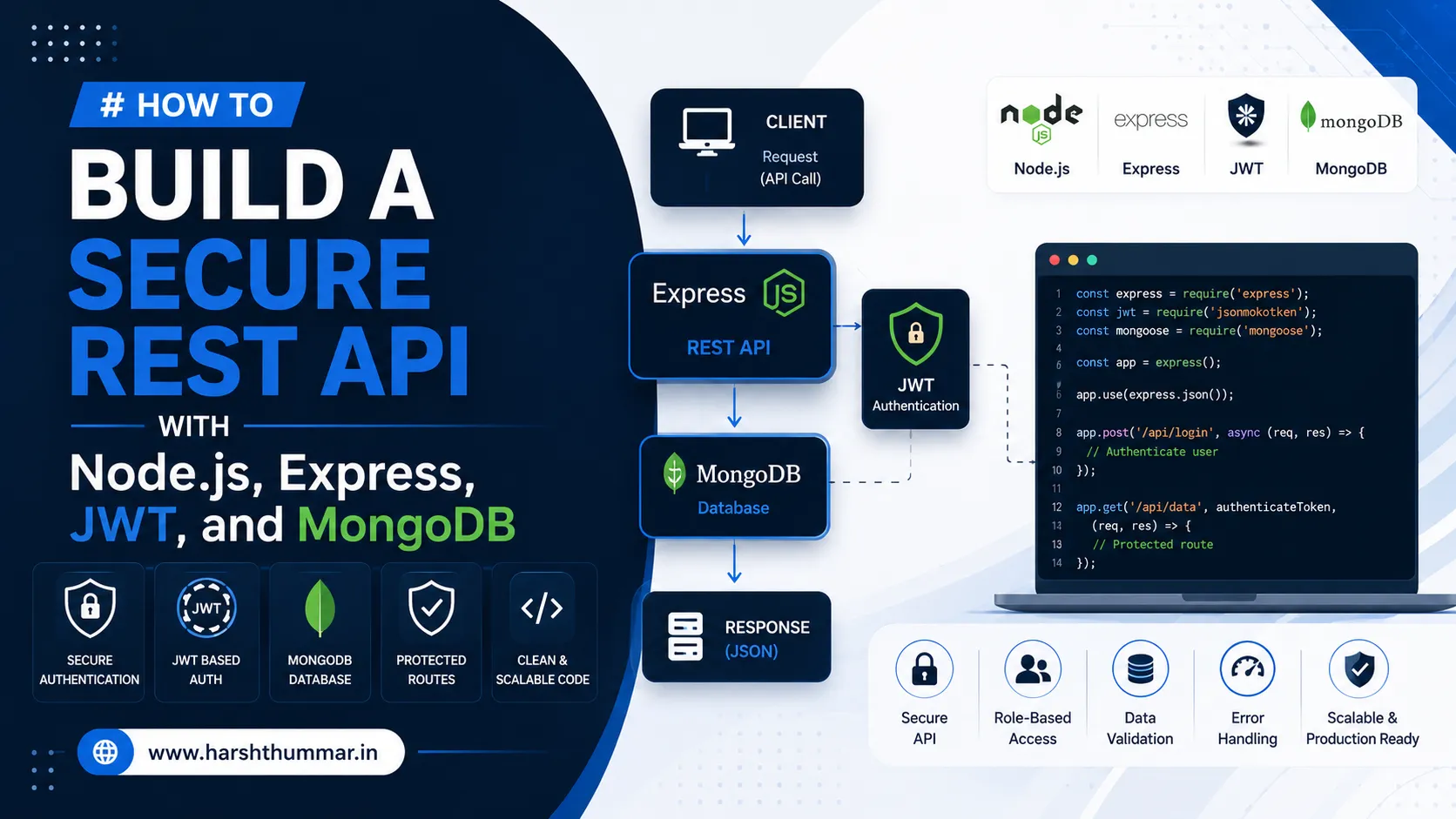
How to Build a Secure REST API with Node.js, Express, JWT, and MongoDB
REST APIs are the foundation of many modern web applications for any Node.js backend developer or Node.js API development project.
A frontend application such as React or Next.js can communicate with a backend API to authenticate users, retrieve database records, create new data, update existing information, and perform other business operations.
Node.js and Express provide a practical environment for building a secure Node.js API, while MongoDB can be used to store application data in a Node.js REST API.
In this guide, we will explore the architecture and important security considerations involved in building an Express.js REST API with Node.js, Express, MongoDB, and JWT authentication.
What Is a REST API?
A REST API allows different applications to communicate over HTTP in an Express MongoDB API setup.
Common HTTP methods include:
- GET - retrieve data
- POST - create data
- PUT/PATCH - update data
- DELETE - remove data
For example:
GET /api/users
POST /api/users
GET /api/users/123
PUT /api/users/123
DELETE /api/users/123
A React frontend can communicate with these endpoints to interact with the backend.
Why Use Node.js for APIs?
Node.js allows developers to run JavaScript on the server.
This is useful for full-stack JavaScript development because the same language can be used across frontend and backend applications.
Node.js is commonly used for:
- REST APIs
- SaaS applications
- Real-time applications
- Authentication services
- Microservices
- Backend systems
Why Use Express?
Express is a lightweight framework for Node.js.
It provides useful functionality for:
- Routing
- Middleware
- HTTP requests
- Response handling
- API organization
A typical Express project can separate routes, controllers, models, and middleware for a MongoDB REST API.
Designing the API
Before writing code, define your resources.
For a user management system:
/api/users
/api/auth
For an e-commerce application:
/api/products
/api/orders
/api/customers
A consistent API structure makes the application easier to maintain.
Connecting MongoDB
MongoDB can store application information in documents.
For example, a user document might contain:
{
  "name": "Alex",
  "email": "alex@example.com",
  "role": "user"
}
Mongoose can be used to define schemas and interact with MongoDB.
Implementing Authentication
A common authentication process looks like this:
1.User registers.
2.Backend validates the input.
3.Password is securely hashed.
4.User information is stored.
5.User logs in.
6.Backend validates credentials.
7.Authentication token or session is created.
8.Protected requests are authenticated.
Passwords should never be stored in plain text.
JWT Authentication
JSON Web Tokens are commonly used for JWT authentication Node.js workflows.
After successful login, the backend can issue a signed token.
The client then sends authentication credentials with protected requests.
A protected API can verify the token before allowing access.
However, authentication and authorization are different concepts.
Authentication asks:
**Who are you?**
Authorization asks:
**What are you allowed to do?**
Role-Based Authorization
Many applications have different user roles.
For example:
admin
manager
user
An administrator might be allowed to delete users while a normal user cannot.
Authorization middleware can check the user's role before processing sensitive operations.
Validate Every Request
Never assume frontend validation is enough.
A malicious user can send requests directly to your API.
The backend should validate:
- Required fields
- Email addresses
- Password requirements
- IDs
- Numbers
- Strings
- File information
- User permissions
Backend validation is essential.
Error Handling
An API should return appropriate HTTP status codes.
Examples include:
200 OK
201 Created
400 Bad Request
401 Unauthorized
403 Forbidden
404 Not Found
500 Internal Server Error
Error responses should be useful but should not expose sensitive server information.
Protect Sensitive Information
Never expose:
- Database passwords
- JWT secrets
- Private API keys
- Internal credentials
- Password hashes
Environment variables are commonly used to store configuration and secrets.
For example:
MONGODB_URI
JWT_SECRET
These values should not be committed to a public Git repository.
CORS Configuration
If your frontend and backend are hosted on different domains, Cross-Origin Resource Sharing may need to be configured.
For production applications, avoid allowing every origin unnecessarily.
Instead, configure the API to allow trusted frontend domains.
API Security Checklist
Before deploying your Node.js API, consider:
- Input validation
- Authentication
- Authorization
- Password hashing
- Rate limiting
- Secure headers
- CORS configuration
- Environment variables
- Database security
- Logging
- Error handling
- HTTPS
Security should be considered from the beginning of development rather than added at the end.
Conclusion
Node.js, Express, MongoDB, and JWT can provide a strong foundation for modern backend applications as a secure Node.js API.
However, building an API is more than creating endpoints.
A production-ready API should include proper validation, authentication, authorization, error handling, security, database design, and deployment configuration.
If you are building a React or Next.js frontend, a well-designed Node.js REST API can provide a clean backend architecture that can also support mobile applications and other clients.
Related Case Studies & Architecture Guides
Explore how secure APIs and authentication models are implemented in production:
- HSFin Case Study : Production finance platform implementing secure JWT sessions, password hashing, and user-scoped data security with Node.js and MongoDB.
- VettedPool Case Study : Decoupled platform featuring 4-role Role-Based Access Control (RBAC) and secure document storage.
- How to Build a Full-Stack Web App with React, Node.js & MongoDB : Comprehensive MERN stack tutorial.
- TypeScript with React & Node.js Guide : Type-safe API contracts and validation schemas.
Frequently Asked Questions
Is Node.js good for REST API development?
Yes. Node.js is widely used for backend APIs and works particularly well for JavaScript-based full-stack applications.
What is Express.js used for?
Express.js provides routing, middleware, and other functionality for building web servers and APIs with Node.js.
Is JWT secure?
JWT can be part of a secure authentication system when implemented correctly. Token storage, expiration, signing keys, HTTPS, authorization, and other security practices all matter.
Can React connect directly to MongoDB?
A browser application generally should not connect directly to a database. A backend API should normally handle database access.
How do I secure a Node.js API?
Use authentication, authorization, input validation, secure secret management, appropriate CORS configuration, rate limiting, HTTPS, and secure database configuration.
What database works with Node.js?
Node.js can work with many databases, including MongoDB, PostgreSQL, MySQL, and others.
10 JavaScript Performance Optimization Techniques Every Web Developer Should Know
React vs Next.js: Which Should You Choose for Your Next Web Project?
Related Articles & Guides
How to Make a React Website SEO-Friendly and Faster in 2026
Learn how to improve React and Next.js SEO with metadata, semantic HTML, fast performance, internal linking, clean URLs, structured content, and technical SEO.
10 JavaScript Performance Optimization Techniques Every Web Developer Should Know
Discover 10 practical JavaScript performance optimization techniques to improve website speed, reduce JavaScript overhead, optimize React applications, and improve user experience.
React vs Next.js: Which Should You Choose for Your Next Web Project?
React vs Next.js explained. Learn the key differences, advantages, SEO considerations, performance, routing, rendering, and when to use each technology.