
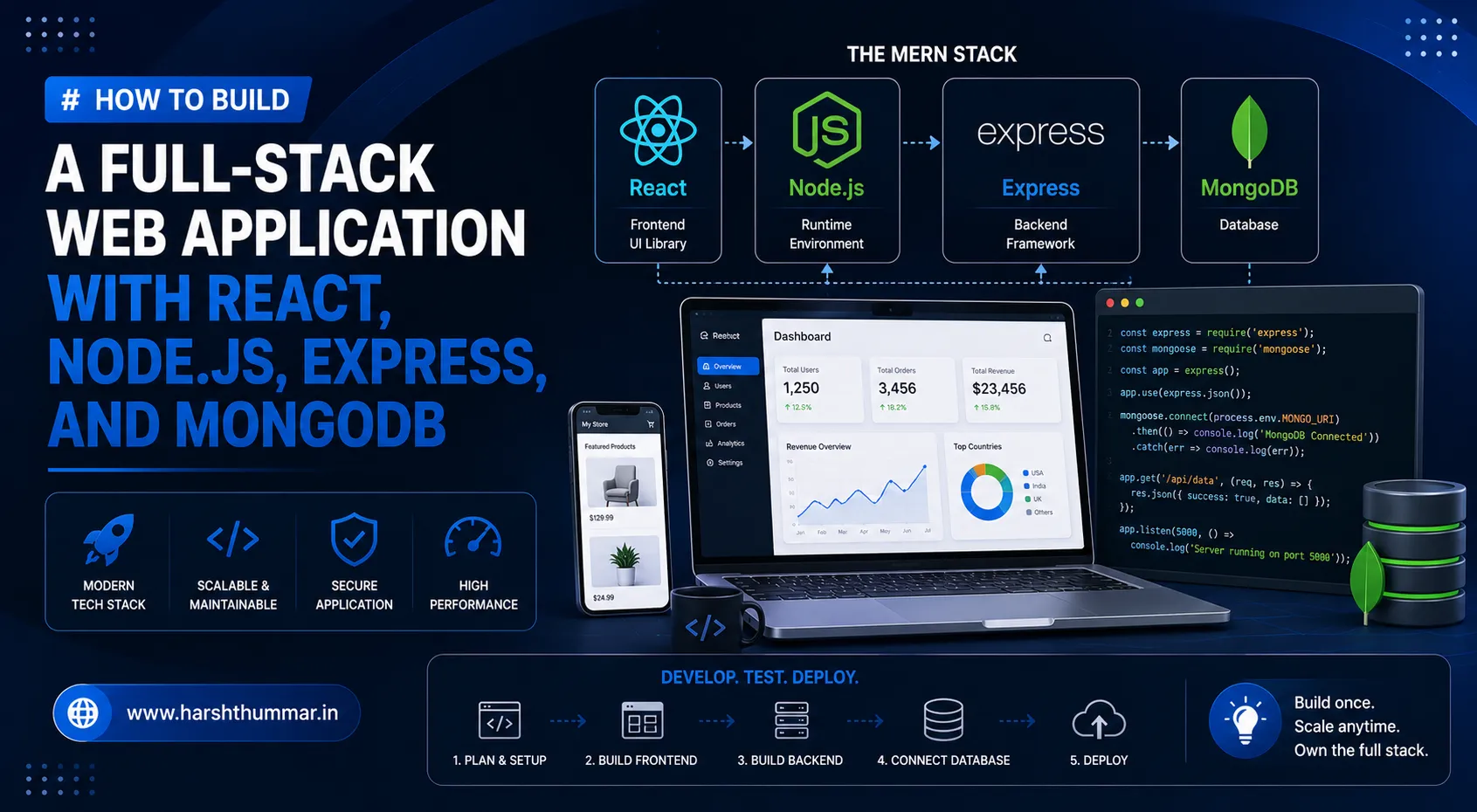
How to Build a Full-Stack Web Application with React, Node.js, Express, and MongoDB
Building a modern web application requires more than creating an attractive frontend. A successful application needs a responsive user interface, a reliable backend, secure APIs, and a database that can store and manage application data.
A popular approach is to use JavaScript across the entire application. With React on the frontend, Node.js and Express.js on the backend, and MongoDB as the database, developers can build complete full-stack applications using one primary programming language as a full stack JavaScript developer.
In this guide, we will explore how to build a full-stack web application using React, Node.js, Express, and MongoDB.
What Is Full-Stack JavaScript Development?
Full-stack JavaScript development means using JavaScript technologies to build both the client-side and server-side parts of a web application.
A typical MERN stack development architecture can contain:
- React for the frontend
- Node.js for the server environment
- Express.js for backend APIs
- MongoDB for database storage
- JWT or sessions for authentication
- Vercel, Render, or another platform for deployment
One of the biggest advantages is that developers can work with JavaScript throughout most of the application.
Understanding the Application Architecture
A simple full-stack application can be divided into three major layers.
Frontend
The frontend is responsible for everything the user sees and interacts with.
React can be used to create a React Node.js project interface:
- Login pages
- Dashboards
- Forms
- Navigation
- Tables
- Product pages
- Admin panels
Backend
The backend processes business logic and communicates with the database using an Express.js REST API.
Node.js and Express can provide APIs such as:
POST /api/auth/login
POST /api/auth/register
GET /api/users
GET /api/products
POST /api/products
PUT /api/products/:id
DELETE /api/products/:id
Database
MongoDB stores application information such as users, products, orders, messages, and other business data for your MongoDB web application.
Step 1: Create the React Frontend
Start by creating a React application.
The frontend should be responsible for the presentation layer and communicating with the backend API.
For example, you might create:
src/
 ├── components/
 ├── pages/
 ├── services/
 ├── hooks/
 ├── utils/
 └── App.jsx
Keeping the project organized becomes increasingly important as the application grows.
Step 2: Create the Node.js Backend
The backend can be created using Node.js and Express.
A basic backend structure might look like:
server/
 ├── controllers/
 ├── models/
 ├── routes/
 ├── middleware/
 ├── config/
 └── server.js
The server receives requests from the React frontend and returns data through APIs.
Step 3: Connect Express Routes
Express makes it simple to create REST APIs.
For example:
GET    /api/users
POST   /api/users
GET    /api/users/:id
PUT    /api/users/:id
DELETE /api/users/:id
The frontend can call these endpoints using fetch() or Axios.
Step 4: Connect MongoDB
MongoDB is a document-oriented database that works naturally with JavaScript applications.
A user document could contain:
{
  "name": "John",
  "email": "john@example.com",
  "role": "user"
}
Using Mongoose, you can define schemas and interact with MongoDB from Node.js in JavaScript full stack development.
Step 5: Add Authentication
Authentication is one of the most important parts of a real-world application.
A common authentication flow is:
1.User submits login credentials.
2.Backend validates the credentials.
3.Backend creates an authentication token or session.
4.Client stores authentication state securely.
5.Protected API requests are authenticated.
6.Backend verifies the user before returning protected data.
Sensitive credentials should never be stored as plain text.
Passwords should be securely hashed before being stored in the database.
Step 6: Protect Backend Routes
Not every API endpoint should be publicly accessible.
For example:
GET /api/productscould be public, while:
DELETE /api/products/:idmight require an authenticated administrator.
Middleware can be used to verify authentication and authorization before allowing a request to continue.
Step 7: Connect React to the API
The React frontend can communicate with the backend using an API client.
For example:
const response = await fetch(
  `${API_URL}/api/products`
);

const products = await response.json();
For larger projects, it is useful to centralize API requests instead of writing HTTP logic inside every component.
Step 8: Handle Environment Variables
Environment variables should be used for configuration values that change between development and production.
Examples include:
MONGODB_URI
JWT_SECRET
API_URL
FRONTEND_URL
Do not expose private secrets in frontend JavaScript.
Step 9: Test the Application
Before deployment, test:
- Authentication
- Registration
- CRUD operations
- API validation
- Error handling
- Responsive design
- Database operations
- Protected routes
- Invalid requests
Testing these areas can prevent many production problems.
Step 10: Deploy the Application
A typical deployment architecture could be:
React / Next.js
       ↓
   Frontend Host
       ↓
 Node.js / Express API
       ↓
    MongoDB
The frontend and backend can be deployed independently.
Make sure production environment variables are configured correctly and that your backend allows requests from the correct frontend domain.
Best Practices for Full-Stack JavaScript Development
Keep Frontend and Backend Separate
Separating the frontend and backend makes applications easier to maintain and deploy.
Validate User Input
Never trust data received from the browser.
Validate important fields on the backend.
Use Proper Error Handling
API responses should provide useful status codes and messages without exposing sensitive implementation details.
Protect Secrets
Database passwords, JWT secrets, API keys, and other private credentials should never be committed to Git.
Optimize Database Queries
As your application grows, inefficient database queries can become a performance problem.
Use appropriate indexes and return only the data required by the client.
Conclusion
React, Node.js, Express, and MongoDB provide a powerful combination for building modern full-stack web applications as a full stack JavaScript developer.
The biggest advantage of full-stack JavaScript development is that developers can use a consistent language and ecosystem across the application.
If you are building a dashboard, SaaS application, e-commerce platform, admin panel, or custom business application, this stack provides a flexible foundation.
A good full-stack application is not only about writing code. It also requires good architecture, security, performance, responsive UI, database design, and reliable deployment.
Featured Production Case Studies & Architecture Guides
Explore real-world full-stack systems built with modern web stacks:
- HSFin Case Study : Production personal finance web app built with React, Node.js, Express, and MongoDB Atlas featuring expense tracking and budget analytics.
- VettedPool Case Study : Decoupled talent acquisition platform with 4 role-based dashboards built with React and Laravel SQL.
- NutriLeft Case Study : High-speed nutritional intelligence app built with Next.js and a Laravel MySQL database.
- How to Build a Secure REST API with Node.js & MongoDB : Complete guide to authentication, authorization, and secure endpoints.
- TypeScript with React & Node.js Guide : Full-stack TypeScript architecture.
Frequently Asked Questions
Is React enough for full-stack development?
No. React primarily handles the frontend. A complete full-stack application also needs backend logic, APIs, and usually a database.
Is Node.js good for backend development?
Yes. Node.js is widely used for API development, real-time applications, SaaS platforms, dashboards, and other web applications.
What is the MERN stack?
MERN stands for MongoDB, Express.js, React, and Node.js.
Is MongoDB good for React applications?
Yes. MongoDB can work very well with React applications when connected through a backend API.
Should I use React or Next.js?
It depends on the project. React is excellent for client-side applications, while Next.js provides additional features such as routing, server-side capabilities, and SEO-friendly rendering options. For a deep comparison, see our comprehensive guide on React vs Next.js: Which Should You Choose?.
What does a full-stack JavaScript developer do?
A full-stack JavaScript developer can work on frontend interfaces, backend APIs, databases, authentication, integrations, deployment, and overall application architecture.
React vs Next.js: Which Should You Choose for Your Next Web Project?
Next.js 16 Authentication: Secure Login, JWT, Sessions and Protected Routes
Related Articles & Guides
Next.js 16 Authentication: Secure Login, JWT, Sessions and Protected Routes
Learn how to implement secure authentication in Next.js 16 with login, sessions, protected routes, authorization, password hashing, JWT concepts, and best practices.
React Server Components Explained: How Server and Client Components Work in Next.js 16
Learn how React Server Components and Client Components work in Next.js 16. Understand rendering, data fetching, "use client", performance, architecture, and best practices.
Next.js 16 Performance Optimization: 15 Techniques to Make Your Website Faster
Learn 15 practical Next.js 16 performance optimization techniques to improve Core Web Vitals, reduce JavaScript, optimize images, caching, rendering, data fetching, and page speed.