
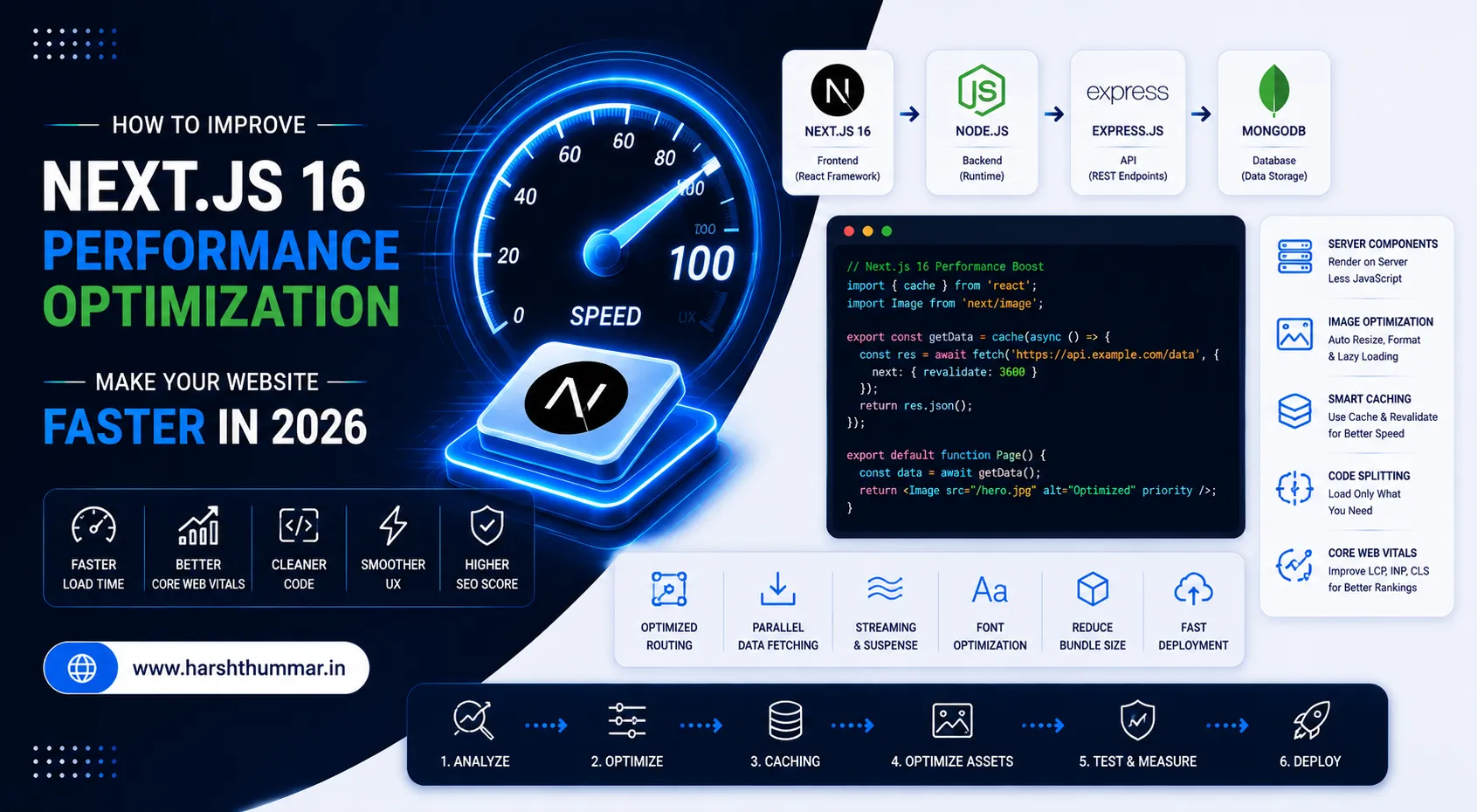
Next.js 16 Performance Optimization: 15 Techniques to Make Your Website Faster
A website can have excellent design and functionality and still provide a poor experience if it is slow.
Performance matters for users, conversions, accessibility and search visibility.
For Next.js applications, performance isn't controlled by a single optimization. It comes from the entire application architecture:
Rendering + JavaScript + Images + Fonts + Data fetching + Caching + Server performance + Network
Next.js 16 introduces and continues several performance-focused capabilities, including improved routing and navigation behavior, caching improvements and Turbopack improvements. Next.js 16.2 also includes additional performance improvements and hundreds of Turbopack fixes and enhancements.
In this guide, we will look at 15 practical techniques you can use to make a Next.js 16 application faster.
Why Next.js Performance Matters
A fast website gives users a better experience.
Performance also affects how effectively search engines can crawl, understand and serve your pages.
Google's guidance continues to emphasize helpful, people-first content and strong technical foundations. Its documentation also explains that the same SEO fundamentals remain relevant for Google's generative search experiences.
For developers, this means performance should not be treated as a final step. It should be part of your architecture from the beginning.
1. Use Server Components by Default
One of the most important decisions in an App Router application is deciding whether a component actually needs to run in the browser.
In the App Router, pages and layouts are Server Components by default. That means you don't need to add "use client" to every component.
Server Components can fetch data, render UI on the server and stream the result without sending all component JavaScript to the browser. If you are comparing client-side rendering with full-stack rendering, read our breakdown on React vs Next.js.
Prefer:
export default async function Page() {
  const data = await getData();

  return <ProductList data={data} />;
}
instead of unnecessarily turning the entire page into a Client Component.
Use Client Components when you actually need:
- Browser APIs (localStorage, window, geolocation)
- Event handlers (onClick, onChange)
- Interactive state (useState, useReducer)
- Lifecycle effects (useEffect, useLayoutEffect)
- Client-only libraries
2. Reduce "use client" Boundaries
One common performance mistake is putting "use client" at the top of large component trees. This increases the amount of JavaScript that needs to be downloaded, parsed and executed on the client.
Instead of a monolithic Client Component:
Page
 └── "use client"
      ├── Header
      ├── Content
      ├── Product List
      └── Footer
Prefer scoped client boundaries:
Server Page
 ├── Server Header
 ├── Server Content
 ├── Client Interactive Component
 └── Server Footer
Keep the client boundary as small as practical.
3. Optimize Images with next/image
Images are frequently responsible for a large portion of a webpage's transferred bytes.
Instead of standard HTML img tags:
<img src="/hero.jpg" />Use Next.js Image component:
import Image from "next/image";

export default function Hero() {
  return (
    <Image
      src="/hero.jpg"
      alt="Developer working on a web application"
      width={1200}
      height={700}
      priority
    />
  );
}
The Image component provides automatic responsive sizing, modern formats (AVIF/WebP), visual stability against layout shifts (CLS), and lazy loading.
4. Don't Load Oversized Source Images
Using next/image doesn't mean the original image should be enormous.
If you upload an 8000 × 5000 image for a small blog card, you're still starting with unnecessarily large source material.
Before uploading images:
- Resize them to the maximum display dimension needed
- Compress them with modern tools (TinyPNG, Squoosh)
- Use modern formats like WebP or AVIF
- Avoid unnecessary alpha transparency layers
- Provide explicit width and height dimensions
A 400 KB image is a much better starting point than a multi-megabyte original.
5. Optimize Fonts with next/font
Fonts can also affect page rendering and cause Cumulative Layout Shift (CLS).
Avoid loading ten font families when your website only needs one or two. Use next/font for zero-CLS, self-hosted font loading:
import { Inter } from "next/font/google";

const inter = Inter({
  subsets: ["latin"],
  display: "swap",
});

export default function RootLayout({ children }: { children: React.ReactNode }) {
  return (
    <html lang="en">
      <body className={inter.className}>
        {children}
      </body>
    </html>
  );
}
This embeds font CSS directly at build time and downloads font files from the same domain without external roundtrips.
6. Use Caching Intentionally
Caching is one of the most important parts of Next.js performance.
Next.js 16 introduces Cache Components, which can be enabled in next.config.js:
const nextConfig = {
  cacheComponents: true,
};

module.exports = nextConfig;
Cache Components work with features such as use cache, cacheLife and cacheTag. You can explicitly mark appropriate functions or components as cacheable:
"use cache";

export async function getPosts() {
  const response = await fetch("https://example.com/api/posts");
  return response.json();
}
The key rule is not to cache everything blindly, but to cache data that can safely be reused while keeping truly dynamic data dynamic.
7. Understand the "use cache" Directive
Next.js 16 provides the "use cache" directive for cacheable routes, components and functions:
"use cache";

export async function getFeaturedPosts() {
  return db.post.findMany({
    where: {
      featured: true,
    },
  });
}
For a content site or blog, this is ideal for:
- Published blog posts and case studies
- Category listings and tags
- Author information
- Featured and popular articles
For end-to-end type safety and scalable data architectures, explore TypeScript full-stack development. User-specific or private information should never be cached as public content. Always understand data privacy and freshness requirements before caching.
8. Avoid Unnecessary Client-Side Data Fetching
A common legacy React pattern is:
"use client";

import { useEffect, useState } from "react";

export default function Blog() {
  const [posts, setPosts] = useState([]);

  useEffect(() => {
    fetch("/api/posts")
      .then((res) => res.json())
      .then(setPosts);
  }, []);

  return <PostList posts={posts} />;
}
With Server Components, you can fetch data directly on the server:
export default async function BlogPage() {
  const posts = await getPosts();

  return <BlogList posts={posts} />;
}
This eliminates unnecessary client-side loading spinners, eliminates waterfall roundtrips, and delivers pre-rendered HTML straight to the browser.
9. Avoid Waterfall Requests with Parallel Fetching
Sequential data fetching creates compounding latency:
Request A (200ms) → Request B (300ms) → Request C (250ms) = Total 750msWhen requests do not depend on each other, execute them in parallel using Promise.all:
const [posts, categories, author] = await Promise.all([
  getPosts(),
  getCategories(),
  getAuthor(),
]);
Now all three requests resolve concurrently in the time of the slowest single request (300ms), cutting total waiting time dramatically.
10. Use Streaming and React Suspense
Some parts of a page take longer to fetch than others. Instead of blocking the entire page render, stream fast sections first and stream slow components as they finish:
import { Suspense } from "react";
import Header from "@/components/Header";
import BlogSkeleton from "@/components/BlogSkeleton";
import LatestPosts from "@/components/LatestPosts";

export default function Page() {
  return (
    <>
      <Header />
      <Suspense fallback={<BlogSkeleton />}>
        <LatestPosts />
      </Suspense>
    </>
  );
}
The user immediately sees the navigation and layout structure while dynamic content streams into place smoothly. Real-time streaming is equally crucial when building AI-powered Next.js applications.
11. Use Dynamic Imports for Heavy Client Components
If a client component is heavy and not immediately needed on initial render, load it on demand with next/dynamic:
import dynamic from "next/dynamic";

const AnalyticsChart = dynamic(
  () => import("./AnalyticsChart"),
  {
    loading: () => <p className="text-white/60">Loading chart...</p>,
    ssr: false,
  }
);
Prime candidates for dynamic imports include:
- Complex data charts and visualization libraries
- Rich text / Markdown editors
- Interactive map components
- Modal dialogs and checkout drawers
- Heavy third-party widgets
12. Reduce Third-Party JavaScript
Third-party scripts can quickly become a hidden performance bottleneck:
- Analytics trackers
- Customer chat widgets
- Social media embed scripts
- Heatmap trackers
- Ad pixels
Before adding any third-party script, evaluate whether its business value justifies the performance cost. When scripts are required, load them with next/script and strategy="lazyOnload" or afterInteractive to keep the critical rendering path clear.
13. Optimize Navigation and Link Prefetching
Next.js App Router provides intelligent client-side navigation and automatic viewport prefetching.
Always use Next.js Link component:
import Link from "next/link";

<Link href="/blog">
  Read the Blog
</Link>
Avoid hard window.location.href reloads which force the browser to discard cache and re-download entire document bundles.
14. Optimize Your JavaScript Bundle
Using Next.js does not automatically prevent bundle bloat. Audit your dependencies for:
- Unused packages and duplicate dependencies
- Large utility libraries (prefer modular imports like lodash-es over monolithic lodash)
- Massive icon libraries (import individual icons rather than entire icon sets)
- Unnecessary polyfills
For foundational language and runtime efficiency, explore our guide on JavaScript performance optimization techniques.
In Next.js 16, enable optimizePackageImports in next.config.js:
module.exports = {
  experimental: {
    optimizePackageImports: ['lucide-react', 'framer-motion'],
  },
};
The formula for page speed is straightforward:
Less JavaScript → Faster Download → Faster Parsing → Faster Execution → High Performance15. Measure Core Web Vitals Continuously
Never rely solely on how fast a website feels on a powerful development computer. Measure real-world metrics:
- LCP (Largest Contentful Paint) : Measures loading speed and how quickly main content becomes visible (Goal: under 2.5s).
- INP (Interaction to Next Paint) : Measures interaction responsiveness to clicks and taps (Goal: under 200ms).
- CLS (Cumulative Layout Shift) : Measures visual stability and unexpected layout shifts (Goal: under 0.1).
To learn how performance directly elevates crawlability and search visibility, see our guide to React SEO and website performance.
Measure these with:
- Google Lighthouse
- PageSpeed Insights
- Chrome DevTools Performance Panel
- Google Search Console Core Web Vitals report
- Vercel Speed Insights / Real User Monitoring (RUM)
Example: Optimizing a Blog Page Architecture
Legacy Client-Heavy Approach
Browser → Load Full JS Bundle → React Mounts → Fetch Posts API → Fetch Categories → Render ContentOptimized Next.js 16 Server-Oriented Approach
Browser → Next.js Server → Fetch Data in Parallel → Render Server Component → Stream Complete HTML → Hydrate Small Interactive IslandsNext.js 16 Performance Architecture Diagram
                    Next.js Application
                             │
             ┌───────────────┴───────────────┐
             │                               │
       Server Components               Client Components
             │                               │
       Data Fetching                   Interactions
             │                               │
       "use cache" / SSG               Minimal JS
             │                               │
             └───────────────┬───────────────┘
                             │
                      Streaming / UI
                             │
                           User
Related Performance & Full-Stack Guides
To build a deeper foundation across frontend, backend, and full-stack development, explore these related guides:
- JavaScript performance optimization techniques : 10 core JavaScript performance techniques every developer should know.
- React SEO and website performance : Comprehensive guide on optimizing React websites for search engine crawlers and Core Web Vitals.
- React vs Next.js : Architectural comparison between client-side React and server-rendered Next.js.
- TypeScript full-stack development : The complete full-stack development guide using TypeScript, React, and Node.js.
- AI-powered Next.js applications : How to build production-ready, AI-powered applications with Next.js, Node.js, and MongoDB.
Performance Pre-Deployment Checklist
Before deploying your Next.js application, verify:
- Server Components are the default for pages and layouts
- "use client" is restricted to small interactive leaves
- Images use next/image with priority on above-the-fold heroes
- Fonts are loaded via next/font with zero layout shift
- Unused dependencies and bloated packages are purged
- Independent API queries run via Promise.all
- Long data fetches are wrapped in React Suspense
- Heavy widgets and modals use dynamic imports
- Public content leverages caching strategies
- Core Web Vitals (LCP, INP, CLS) pass all thresholds on mobile devices
Related Case Studies & Architecture Guides
See how these performance and architecture principles are applied in production:
- NutriLeft Case Study : High-speed nutritional platform combining Next.js with a Laravel SQL backend, featuring sub-90ms queries and dynamic portion recalculation.
- VettedPool Case Study : Decoupled full-stack recruitment platform with 4 role-based dashboards and optimized caching.
- How to Make a React Website SEO-Friendly : Best practices for technical SEO, dynamic schemas, and discoverability.
- React vs Next.js Architectural Comparison : When to choose client-side React versus full-stack Next.js.
Frequently Asked Questions
How can I improve Next.js 16 performance?
Start by keeping components on the server by default, optimizing images with next/image, reducing client-side JavaScript, fetching independent data in parallel, and implementing streaming with Suspense.
Is Next.js 16 faster than older versions?
Yes. Next.js 16 includes major upgrades to routing, navigation prefetching, the Cache Components architecture, and Turbopack compiler improvements.
Should every component be a Server Component?
No. Components requiring browser APIs, local state, event listeners, or client-side effects must be Client Components. Keep them as small leaf components at the edges of your component tree.
Does caching always improve performance?
Caching improves response speed and reduces server load, but the caching strategy must match data freshness and privacy requirements.
Does Next.js automatically optimize all images?
The next/image component handles responsive resizing and modern formats, but you must still provide reasonably sized source assets and correct dimensions.
Conclusion
Next.js performance optimization is not about applying random tricks after a project is finished. It is about understanding where work happens across the server, network, and client.
By keeping Server Components as your default, streaming data with Suspense, scoping client boundaries, and optimizing assets, you create web applications that feel instant and deliver exceptional user experiences.
React Server Components Explained: How Server and Client Components Work in Next.js 16
How to Build an AI Agent with Next.js 16 and React in 2026
Related Articles & Guides
How to Build an AI-Powered Web Application with Next.js, Node.js, and MongoDB in 2026
Learn how to build an AI-powered web application using Next.js, Node.js, and MongoDB in 2026, including AI APIs, authentication, database integration, and deployment.
How to Make a React Website SEO-Friendly and Faster in 2026
Learn how to improve React and Next.js SEO with metadata, semantic HTML, fast performance, internal linking, clean URLs, structured content, and technical SEO.
10 JavaScript Performance Optimization Techniques Every Web Developer Should Know
Discover 10 practical JavaScript performance optimization techniques to improve website speed, reduce JavaScript overhead, optimize React applications, and improve user experience.