
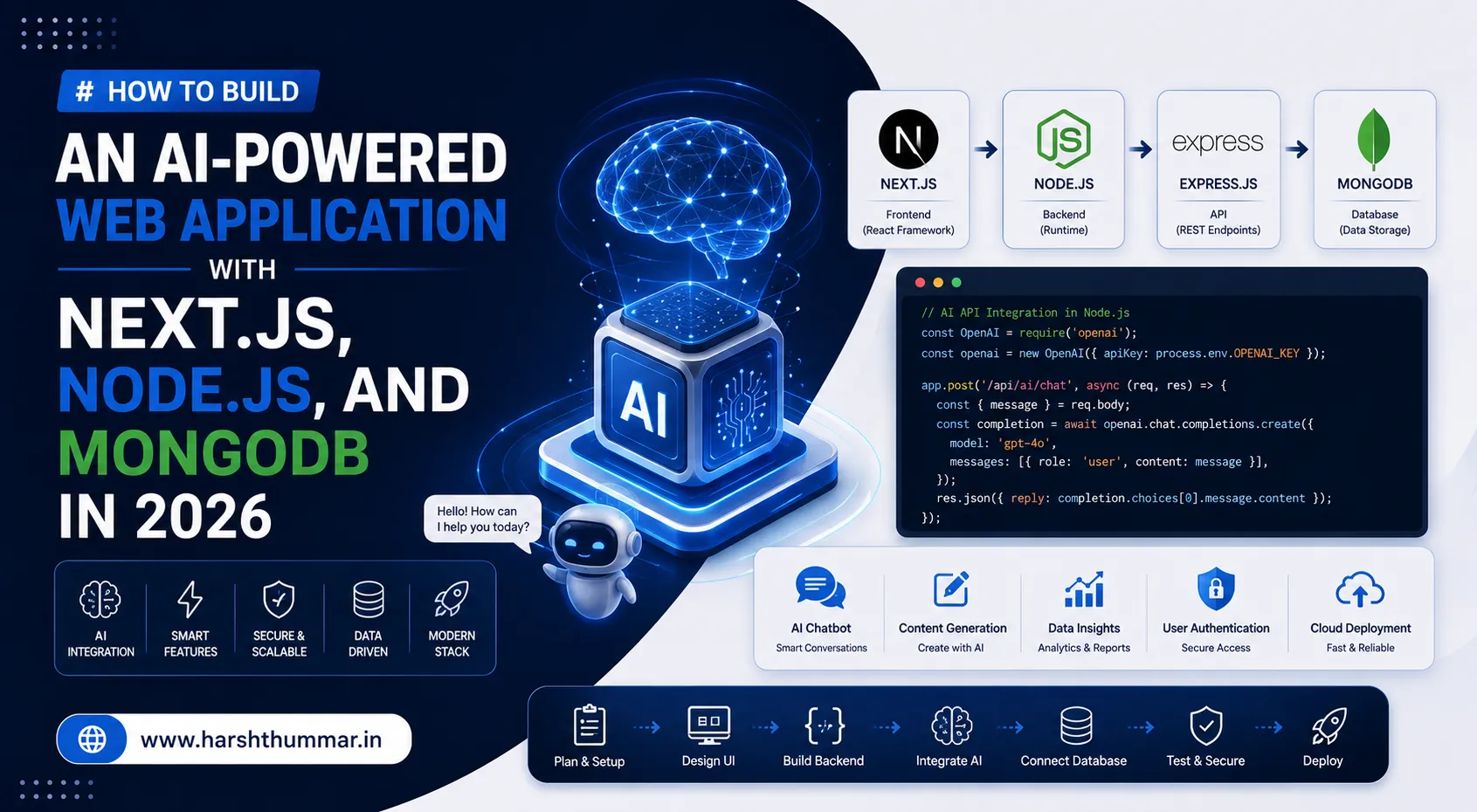
How to Build an AI-Powered Web Application with Next.js, Node.js, and MongoDB in 2026
Artificial intelligence is changing the way modern web applications are built. AI-powered features such as chat assistants, content generation, recommendations, document analysis, search, and automation are becoming common parts of modern websites and SaaS products.
For developers working with React, Next.js, Node.js, and MongoDB, adding AI capabilities does not require rebuilding an entire application from scratch.
In this guide, we will explore how to build an AI-powered web application using Next.js for the frontend, Node.js for backend logic, MongoDB for data storage, and an AI API for intelligent features.
Why Build AI-Powered Web Applications in 2026?
AI is moving from experimental functionality into practical product features.
Modern applications can use AI to:
- Generate content
- Answer customer questions
- Summarize documents
- Recommend products
- Analyze user data
- Create personalized experiences
- Automate repetitive tasks
- Build intelligent search experiences
The important part is not simply adding an AI chatbot. The real value comes from integrating AI into a useful product workflow.
Recommended Technology Stack
A practical AI web application can use:
- Next.js — frontend and application framework
- React — user interface
- Node.js — backend services and APIs
- MongoDB — application and user data
- AI API — intelligent processing
- JWT or secure sessions — authentication
- Vercel / cloud platform — deployment
This stack works particularly well for developers who already understand JavaScript and full-stack development.
Step 1: Create the Next.js Application
Start by creating the frontend application and designing the main user interface.
Typical pages can include:
- Home
- Login
- Register
- Dashboard
- AI Assistant
- History
- Profile
- Settings
The frontend should communicate with your backend through secure API requests.
Step 2: Build the Node.js Backend
The backend handles business logic and communicates with external AI services.
A typical architecture is:
Next.js → Node.js API → AI Service → Node.js → Next.jsThis approach keeps sensitive API credentials on the server rather than exposing them inside frontend JavaScript.
Step 3: Connect MongoDB
MongoDB can store:
- User accounts
- Conversations
- AI responses
- User preferences
- Generated content
- Usage information
- Application history
For example, an AI chatbot application could store each conversation using a structure such as:
user → conversation → messages → AI responseThis makes it possible for users to return to previous conversations.
Step 4: Integrate an AI API
Your Node.js backend can send user input to an AI service and return the generated response to the frontend.
A basic workflow looks like:
User Input → API Request → AI Processing → Response → Database → UIAlways keep API keys and sensitive configuration on the server.
Step 5: Add Authentication
An AI application should not expose private user information.
Implement:
- Registration
- Login
- Password hashing
- Authentication
- Protected API routes
- User-specific data access
- Secure session or token handling
Authentication becomes especially important when your application stores conversations or private documents.
Step 6: Add Rate Limiting and Usage Controls
AI requests can consume server and API resources quickly.
Consider implementing:
- Request limits
- User quotas
- Input validation
- Maximum message size
- Request logging
- Error handling
- Abuse protection
This makes the application more reliable and easier to control as usage grows.
Step 7: Improve AI Application Performance
Performance still matters even when AI is the main feature.
Use:
- Server-side rendering where appropriate
- Streaming AI responses
- Lazy loading
- API caching where applicable
- Optimized database queries
- Image optimization
- Smaller client-side JavaScript bundles
A good AI application should feel responsive even when the AI operation itself takes time.
Step 8: Add AI Features That Solve Real Problems
Instead of adding AI only because it is trending, connect it to a real user problem.
Examples include:
- AI Customer Support — Users can ask questions and receive automated answers.
- AI Content Generator — Users can generate descriptions, articles, emails, or marketing content.
- AI Document Assistant — Users can upload documents and ask questions about their contents.
- AI Recommendation System — The application can recommend products, articles, or services based on user behavior.
- AI Search — Users can search for information using natural-language questions rather than only exact keywords.
Security Considerations
AI applications introduce additional security concerns.
Never expose private API keys in frontend code.
Also consider:
- Input validation
- Authentication
- Authorization
- Rate limiting
- Secure environment variables
- Database access controls
- Prompt injection protection
- Sensitive-data filtering
- Logging and monitoring
Security should be designed into the application rather than added after deployment.
Deploying the Application
A modern deployment architecture could look like:
Next.js → Vercel
Node.js API → Cloud Server
MongoDB → MongoDB Atlas
AI API → External AI Provider
Before deployment, configure production environment variables and test authentication, API errors, database connectivity, and AI request limits.
Conclusion
AI-powered web development is becoming an important part of modern full-stack development.
Developers who already understand React, Next.js, Node.js, and MongoDB can extend their existing skills into AI application development without abandoning the technologies they already know.
The goal should not be to build an AI feature simply because AI is popular. Build an application where AI provides a clear improvement to the user's experience.
Frequently Asked Questions
Can I build an AI application with Next.js?
Yes. Next.js can handle the frontend and application layer, while backend APIs can communicate with AI services securely.
Is Node.js good for AI applications?
Yes. Node.js is useful for building APIs, authentication, business logic, integrations, and communication with AI services.
Can MongoDB store AI conversations?
Yes. MongoDB can store users, conversations, messages, generated content, preferences, and application history.
Should AI API keys be stored in React?
No. Sensitive API keys should remain on the server and should be stored using secure environment variables.
Is AI web development a good skill to learn in 2026?
AI integration combined with strong web-development fundamentals is a valuable direction because modern applications increasingly combine traditional web functionality with AI-powered features.
TypeScript with React and Node.js: The Complete Full-Stack Development Guide for 2026
How to Make a React Website SEO-Friendly and Faster in 2026
Related Articles & Guides
Next.js 16 Authentication: Secure Login, JWT, Sessions and Protected Routes
Learn how to implement secure authentication in Next.js 16 with login, sessions, protected routes, authorization, password hashing, JWT concepts, and best practices.
React Server Components Explained: How Server and Client Components Work in Next.js 16
Learn how React Server Components and Client Components work in Next.js 16. Understand rendering, data fetching, "use client", performance, architecture, and best practices.
Next.js 16 Performance Optimization: 15 Techniques to Make Your Website Faster
Learn 15 practical Next.js 16 performance optimization techniques to improve Core Web Vitals, reduce JavaScript, optimize images, caching, rendering, data fetching, and page speed.