- Quick Answer: The WhatsApp Order Link Format
- Click to Chat or WhatsApp Business API?
- When a WhatsApp Order Button Makes Sense
- Step 1: Store the WhatsApp Number in Config
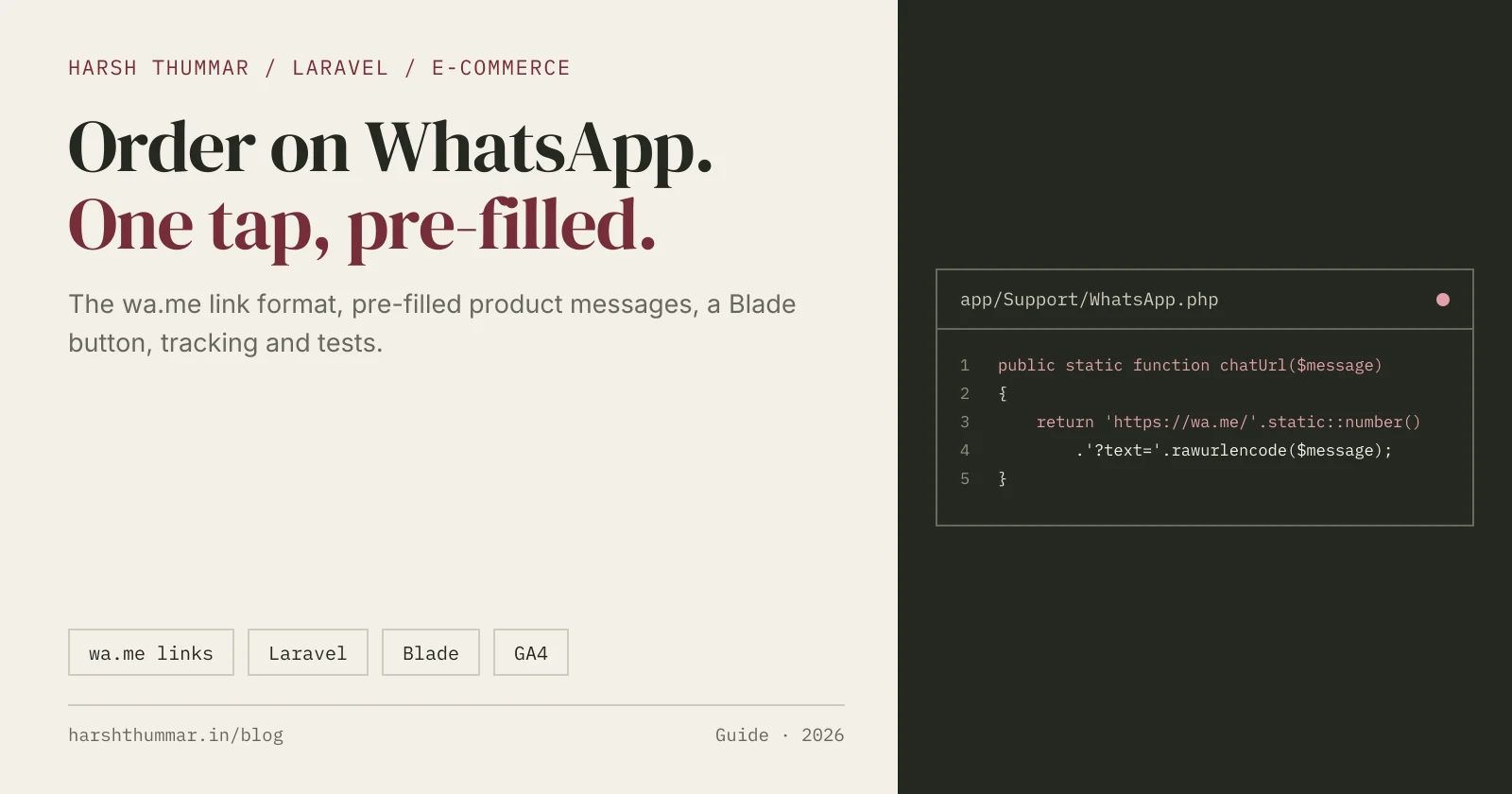
- Step 2: Build a WhatsApp Link Helper
- Step 3: Pre-Fill the Order Message for Each Product
- Step 4: Create a Reusable Blade Button
- Step 5: Add a Share Button and a Floating Chat Button
- Step 6: Track WhatsApp Clicks
- Step 7: Keep a Fallback Enquiry Form
- Step 8: Test the Order Link
- Common Mistakes
- WhatsApp Order Button Checklist
- Related Guides
- Frequently Asked Questions
- Conclusion
A WhatsApp order button lets a shopper tap once on a product page and land in a WhatsApp chat with your shop, with the product name, code and link already typed in. For many small stores, especially in India, that is how customers already like to buy: they ask about size, colour and delivery in a chat, then pay. You don't need a cart, a payment gateway or the WhatsApp Business API to start.
In this guide I'll show you how to build one properly in Laravel: a clean helper for WhatsApp links, a pre-filled order message for every product, a reusable Blade button, a share button, click tracking and a feature test. It's the same approach I used for Vrindavasan Fashion, a live clothing store where every product page ends in an Order on WhatsApp button.
The link rules below come from WhatsApp's official Help Center article on click to chat, checked on 6 November 2026.
Quick Answer: The WhatsApp Order Link Format
WhatsApp's click to chat feature opens a chat from a normal link:
https://wa.me/<number>?text=<url-encoded message><number>is the full phone number in international format, with the country code. WhatsApp's rule: don't add any zeros, brackets or dashes. For an Indian number that means91followed by the 10-digit number, with no+.textis the pre-filled message, URL-encoded, so spaces become%20.
A real order link looks like this:
https://wa.me/91XXXXXXXXXX?text=Hi!%20I'd%20like%20to%20order%3A%20Pink%20Co-ord%20SetClick to chat works on phones and on WhatsApp Web. If you leave the number out (https://wa.me/?text=...), WhatsApp asks the user to pick a contact, which is exactly what you want for a share button.
Click to Chat or WhatsApp Business API?
These are two different tools, and most stores only need the first one.
| Click to chat (wa.me links) | WhatsApp Business Platform (Cloud API) | |
|---|---|---|
| What it does | Opens a chat with a pre-filled message; the customer presses send | Your server sends and receives messages programmatically |
| Setup | A link on your page | A business portfolio, a business app and an approved setup |
| Good for | Order buttons, enquiries, product sharing | Order confirmations, shipping updates, automated replies at scale |
| Message templates | Not needed | Template messages generally need approval and user opt-in |
| Cost to start | Free | Depends on Meta's pricing and your provider |
Start with click to chat. Move to the Cloud API when you need to send messages automatically, for example a shipping update, rather than let customers start the conversation.
When a WhatsApp Order Button Makes Sense
A WhatsApp order flow works best when:
- Customers ask questions before buying. Clothing, furniture, food and handmade products often need a conversation about size, colour or delivery.
- You confirm orders by hand. A small team can reply quickly and check stock before taking payment.
- You're not ready for online payment. You can launch the catalogue now and add a cart later.
- Your customers already use WhatsApp. In India it is often the most natural way for a local shop to take orders.
It's a weaker fit for large catalogues with thousands of daily orders, or for stores where customers expect instant checkout. There, use WhatsApp for support and keep a normal cart.
Step 1: Store the WhatsApp Number in Config
Never hard-code the number in templates. Put it in .env, so it can change without a deployment, and read it through config:
# .env
WHATSAPP_NUMBER="+91 XXXXX XXXXX"
WHATSAPP_COUNTRY_CODE=91// config/services.php
'whatsapp' => [
'number' => env('WHATSAPP_NUMBER'),
'country_code' => env('WHATSAPP_COUNTRY_CODE', '91'),
],If the shop owner should be able to change the number from an admin panel, keep it in a settings table instead and read it from there. The helper in the next step works either way.
Step 2: Build a WhatsApp Link Helper
One small class builds every WhatsApp link on the site, so the formatting rules live in one place:
<?php
// app/Support/WhatsApp.php

namespace App\Support;

class WhatsApp
{
    /**
     * Turn whatever the admin typed ("+91 98XXX-XXXXX", "098XXXXXXXX")
     * into the digits-only international format wa.me expects.
     */
    public static function number(?string $raw = null): ?string
    {
        $digits = preg_replace('/\D+/', '', $raw ?? (string) config('services.whatsapp.number'));
        $digits = ltrim($digits, '0');

        if ($digits === '') {
            return null;
        }

        // A bare 10-digit Indian mobile number: add the country code.
        if (strlen($digits) === 10) {
            $digits = config('services.whatsapp.country_code', '91').$digits;
        }

        return $digits;
    }

    /** Chat link to the shop, with an optional pre-filled message. */
    public static function chatUrl(?string $message = null): ?string
    {
        $number = static::number();

        if (! $number) {
            return null;
        }

        return 'https://wa.me/'.$number.($message ? '?text='.rawurlencode($message) : '');
    }

    /** Share link: no number, so WhatsApp asks who to send it to. */
    public static function shareUrl(string $message): string
    {
        return 'https://wa.me/?text='.rawurlencode($message);
    }
}
Two details matter here:
rawurlencode(), noturlencode().rawurlencode()encodes spaces as%20, the format in WhatsApp's own examples.urlencode()uses+, which belongs to HTML form encoding.- Return
nullwhen no number is set, so the page can hide the button instead of linking to a broken chat.
Step 3: Pre-Fill the Order Message for Each Product
A good order message gives the shop everything it needs to answer straight away: the product, a code to find it and a link to the page. Add an accessor to the Product model:
<?php
// app/Models/Product.php

use Illuminate\Database\Eloquent\Casts\Attribute;

protected function whatsappMessage(): Attribute
{
    return Attribute::get(fn () => implode("\n", array_filter([
        "Hi! I'd like to order:",
        $this->name,
        $this->sku ? 'SKU: '.$this->sku : null,
        'Price: ₹'.number_format($this->sale_price ?? $this->price),
        route('product.show', $this->slug),
    ])));
}
The shopper sees something like:
Hi! I'd like to order:
Pink Solid Co-ord Set
SKU: VF-94691
Price: ₹2,999
https://yourstore.com/product/pink-solid-co-ord-set
rawurlencode() turns the line breaks into %0A, so each detail arrives on its own line. Including the SKU and link saves a round of "which one did you mean?" for every order. Keep the message short; the customer can still edit it before pressing send.
Step 4: Create a Reusable Blade Button
Wrap the link in an anonymous Blade component, so every page uses the same markup:
{{-- resources/views/components/whatsapp-button.blade.php --}}
@props(['message' => null, 'label' => 'Order on WhatsApp'])

@php($url = \App\Support\WhatsApp::chatUrl($message))

@if ($url)
    <a href="{{ $url }}"
       target="_blank"
       rel="noopener nofollow"
       data-track="whatsapp_order"
       {{ $attributes->merge(['class' => 'inline-flex items-center gap-2 rounded bg-[#0E7A3F] px-6 py-3 font-medium text-white hover:bg-[#0B6635]']) }}>
        <svg aria-hidden="true" class="h-5 w-5" viewBox="0 0 24 24" fill="currentColor">
            <path d="M12 2a10 10 0 0 0-8.6 15.1L2 22l5-1.3A10 10 0 1 0 12 2Z"/>
        </svg>
        {{ $label }}
    </a>
@endif
Use it on the product page:
<x-whatsapp-button :message="$product->whatsapp_message" class="w-full sm:w-auto" />A few choices here help both users and SEO:
- A real
<a>link, not a<button>with JavaScript. It works without JavaScript, and long-pressing it can copy the link. - Visible text ("Order on WhatsApp"). Screen readers announce the purpose, and the icon is hidden from them with
aria-hidden. - A darker WhatsApp green. White text on the bright brand green (
#25D366) has a contrast ratio of only about 2:1.#0E7A3Freaches about 5.4:1, above the 4.5:1 that WCAG asks for normal text. target="_blank"withrel="noopener". On desktop, WhatsApp Web opens in a new tab and your store stays open.rel="nofollow". The link is a contact action, not a page you want search engines to follow.
If you prefer WhatsApp's official "Chat on WhatsApp" button image, WhatsApp asks you to use it as it is, without changing it.
Step 5: Add a Share Button and a Floating Chat Button
Shoppers often send products to a friend or family member before buying. A share button uses the number-free link:
<a href="{{ \App\Support\WhatsApp::shareUrl($product->name.' – '.route('product.show', $product->slug)) }}"
   target="_blank" rel="noopener nofollow" data-track="whatsapp_share">
    Share on WhatsApp
</a>
For general questions, add a floating chat button on every page, with a generic message:
{{-- in your main layout --}}
<x-whatsapp-button
    message="Hi! I have a question about your store."
    label="Chat with us"
    class="fixed bottom-20 right-4 z-40 shadow-lg md:bottom-6" />
On mobile, make sure it doesn't cover your sticky bottom navigation or the main order button. In Vrindavasan Fashion, WhatsApp also sits in the mobile bottom bar next to Home, Shop and Search.
Make the shared preview look good too. When someone shares a product link, WhatsApp shows a preview built from your page's Open Graph tags. Give every product page an og:title, og:description and a large og:image. In Vrindavasan Fashion I generate a separate 1200×630 JPEG share card for each product, because WebP previews were unreliable in WhatsApp and Facebook.
Step 6: Track WhatsApp Clicks
A WhatsApp order happens outside your website, so the click is the only signal you get. If you use Google Analytics 4, send an event when a WhatsApp link is clicked:
<script>
  document.addEventListener('click', (event) => {
    const link = event.target.closest('a[data-track]');
    if (link && typeof window.gtag === 'function') {
      window.gtag('event', link.dataset.track, { link_url: link.href, page_path: location.pathname });
    }
  });
</script>
Then mark whatsapp_order as a key event in GA4. You can now see which products and pages lead to WhatsApp orders, and compare them with your search traffic.
Tracking only counts clicks, not finished orders; the customer may never press send. To count real orders, have the shop log each confirmed order, for example in an enquiries or orders table in your admin panel.
Step 7: Keep a Fallback Enquiry Form
Not every visitor has WhatsApp on the device they're browsing with. Next to the button, offer an enquiry form that saves name, phone and message to the database, linked to the product:
// routes/web.php
Route::post('enquiry', [EnquiryController::class, 'store'])
    ->middleware('throttle:5,1')
->name('enquiry.store');// app/Http/Controllers/EnquiryController.php
public function store(Request $request)
{
$data = $request->validate([
'name' => ['required', 'string', 'max:100'],
'phone' => ['required', 'string', 'max:20'],
'message' => ['nullable', 'string', 'max:1000'],
'product_id' => ['nullable', 'exists:products,id'],
'website' => ['prohibited'], // honeypot: real users never fill this hidden field
]);
Enquiry::create($data + ['source' => $data['product_id'] ? 'product' : 'contact']);
return back()->with('status', 'Thanks! We will contact you shortly.');
}The throttle middleware and the hidden honeypot field stop most spam without a captcha. An admin inbox with simple statuses (new, contacted, closed) lets the owner follow up on every enquiry.
Step 8: Test the Order Link
A short feature test makes sure a later change never breaks the button or the encoding:
<?php
// tests/Feature/WhatsAppButtonTest.php

use App\Models\Product;

it('shows a pre-filled WhatsApp order link on the product page', function () {
    config(['services.whatsapp.number' => '+91 98765 43210']);
    $product = Product::factory()->create(['name' => 'Pink Co-ord Set', 'sku' => 'VF-1']);

    $this->get(route('product.show', $product->slug))
        ->assertOk()
        ->assertSee('https://wa.me/919876543210?text=', false)
        ->assertSee(rawurlencode('Pink Co-ord Set'), false);
});

it('hides the button when no number is configured', function () {
    config(['services.whatsapp.number' => null]);
    $product = Product::factory()->create();

    $this->get(route('product.show', $product->slug))
        ->assertOk()
        ->assertDontSee('wa.me/', false);
});
The test uses Pest syntax; the same assertions work in a PHPUnit test class. The number in the test is a made-up example.
Common Mistakes
- Adding
+, spaces, dashes or a leading0to the number. WhatsApp's rule is digits only, in full international format. Normalise the number in one helper. - Forgetting to encode the message. Unencoded spaces,
&or#cut the message short. Userawurlencode(). - Leaving out the product link or SKU. The shop then has to ask which product the customer means.
- Hard-coding the number in many templates. When the number changes, some pages keep the old one.
- Using an icon-only button. Without visible text or an accessible name, screen readers announce nothing useful.
- Covering content with the floating button on small screens.
- Promising a reply time you can't keep. If you show "We reply within an hour", make sure someone does.
WhatsApp Order Button Checklist
- Number stored once, in config or settings, and normalised to digits only
- Order message includes product name, SKU, price and page link
- Message encoded with
rawurlencode() - Real
<a>link with visible text,target="_blank"andrel="noopener nofollow" - Button hidden when no number is set
- Share button using
https://wa.me/?text= - Open Graph tags and a JPEG share image on every product page
- Click events tracked in GA4
- Enquiry form fallback with validation, rate limiting and a honeypot
- Feature test for the link and the hidden state
Related Guides
- Vrindavasan Fashion Case Study →The live Laravel store this guide is based on, with WhatsApp ordering and a custom admin panel.
- How to Build a Laravel REST API with a React Frontend →Validation, authentication and Eloquent models in Laravel.
- Next.js SEO in 2026: Metadata, JSON-LD and Sitemaps →Product structured data, Open Graph tags and sitemaps.
- React Website SEO Guide →Make product pages easy for Google to find and index.
Frequently Asked Questions
How do I add a WhatsApp order button to my website?
Create a link in the format https://wa.me/<number>?text=<message>, where the number is your full international number with digits only and the message is URL-encoded. Put it in an <a> tag with visible text such as "Order on WhatsApp". In Laravel, build the link in one helper and reuse it through a Blade component.
What is the WhatsApp click to chat link format?
https://wa.me/<number> opens a chat with that number, and https://wa.me/<number>?text=<url-encoded text> pre-fills a message. https://wa.me/?text=<url-encoded text> with no number lets the user choose a contact.
Should I include the + sign or country code in the wa.me link?
Include the country code but not the +. WhatsApp asks for the full number in international format without zeros, brackets or dashes, for example 91 followed by a 10-digit Indian mobile number.
Do I need the WhatsApp Business API for an order button?
No. A click to chat link works without the API. The WhatsApp Business Platform (Cloud API) is for sending messages from your own system, such as order confirmations and shipping updates, and it needs a business portfolio and app setup.
How do I pre-fill product details in the WhatsApp message?
Build the message from the product's name, SKU, price and page URL, join the lines with line breaks and encode the result with rawurlencode() in PHP or encodeURIComponent() in JavaScript before adding it as the text parameter.
Can customers pay through the WhatsApp order button?
Not through the link itself. The button only starts a conversation. The shop confirms the order in the chat and shares a payment method, or you add online payment to your website later.
Does a WhatsApp button help SEO?
Not directly; search engines don't rank pages for having one. It helps the business by turning search visitors into conversations, and a good share preview (Open Graph tags and image) makes shared product links look trustworthy.
How do I track WhatsApp clicks in Google Analytics?
Send a GA4 event, such as whatsapp_order, when a WhatsApp link is clicked, then mark it as a key event. This counts clicks, not completed orders, so keep a record of confirmed orders in your admin as well.
Conclusion
A WhatsApp order button is one of the fastest ways to start selling online: a catalogue customers can find on Google, and one tap from any product into a chat with the order already written. Build the link in one Laravel helper, pre-fill the product's name, SKU and URL, encode it properly, and back it up with a share button, click tracking, an enquiry form and a test. When you're ready for checkout, the catalogue you built is the foundation for it.
Want to see it in a real store? Read the Vrindavasan Fashion case study, or get in touch if you'd like a store like it.