Next.js SEO in 2026: Metadata, JSON-LD, Sitemaps and AI Search (llms.txt)
A practical Next.js SEO guide: Metadata API, canonical URLs, JSON-LD with @graph, robots.txt for AI crawlers, honest sitemaps, RSS and llms.txt in Next.js 16.
By Harsh Thummar 13–15 min read
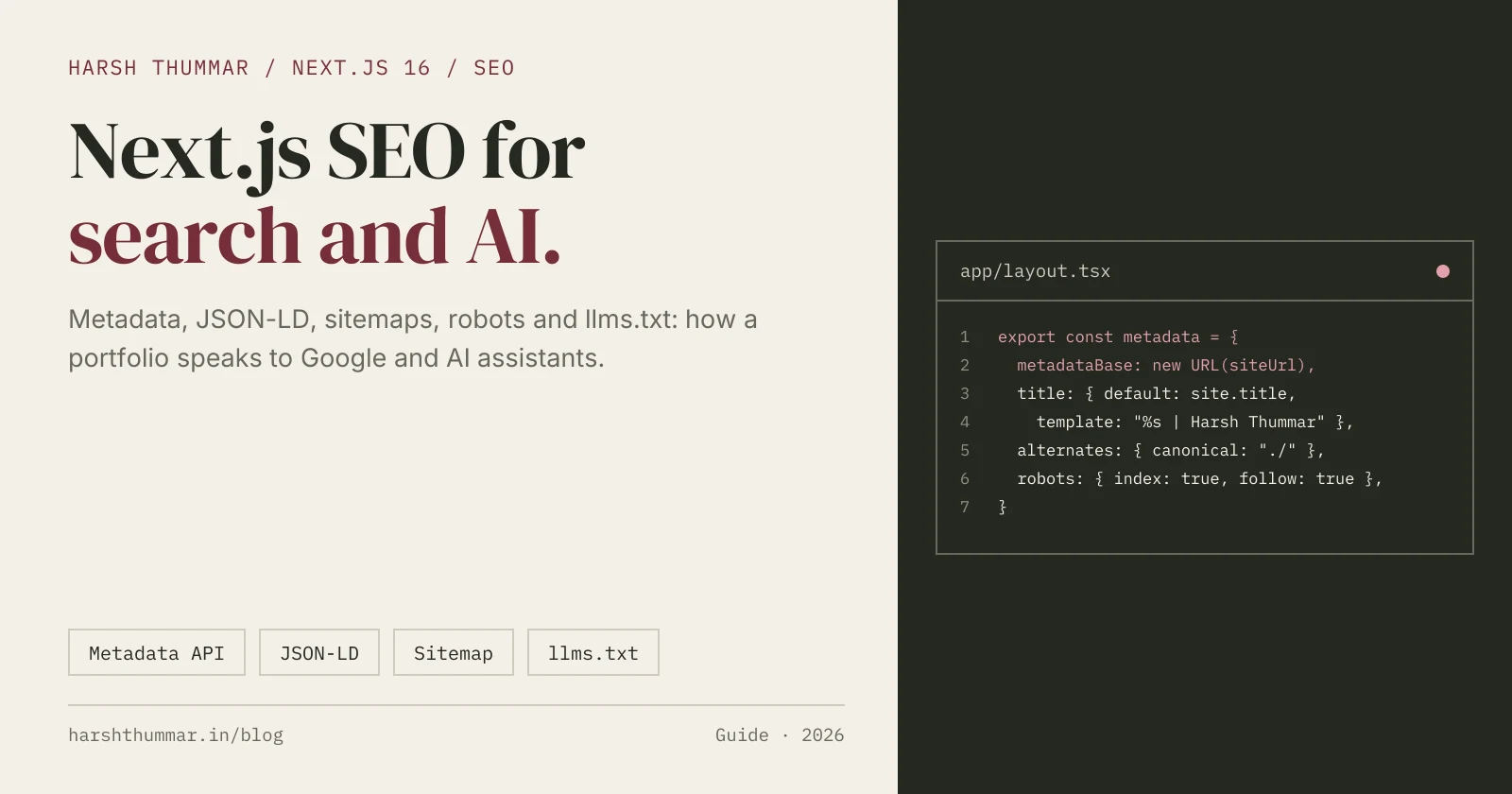
Most Next.js SEO advice stops at "add a title and description". That gets you indexed, but it doesn't help Google understand who wrote a page, and it does nothing for ChatGPT, Claude or Perplexity when they decide which sources to cite.
Next.js SEO in 2026 has two audiences: classic search engines and AI assistants. Both reward the same things: clean metadata, consistent facts about the author or business, structured data that connects those facts, and files that make your content easy to crawl.
In this guide, I'll walk through the exact setup I use on my own portfolio, harshthummar.in (Next.js 16, App Router). You'll see the Metadata API, a metadata merging gotcha that silently breaks social previews, JSON-LD with stable @id references, a robots file that welcomes AI crawlers, honest sitemaps, RSS, and a generated llms.txt. Every Next.js API here is checked against the official Next.js 16 docs.
Start With a Single Source of Truth
The most underrated SEO decision on my site isn't a meta tag. It's one file, lib/site.ts, that holds every fact about me: name, job title, employer, location, skills and social profiles.
Metadata, JSON-LD, llms.txt and the RSS feed all read from it. That matters because search engines and AI assistants build an "entity" picture of you by comparing what different pages and profiles say. If your homepage says "Frontend Developer", your About page says "Software Engineer" and your structured data says something else, you're sending mixed signals.
// lib/site.ts
export const siteUrl = (process.env.NEXT_PUBLIC_SITE_URL || "https://www.example.com").replace(/\/$/, "");

export const person = {
  name: "Jane Developer",
  jobTitle: "Full-Stack Developer",
  location: { city: "Ahmedabad", region: "Gujarat", country: "India", countryCode: "IN" },
  summary: "Jane Developer is a full-stack developer who builds web apps with Next.js, React and Node.js.",
  knowsAbout: ["Next.js", "React", "TypeScript", "Node.js", "Technical SEO"],
  sameAs: ["https://github.com/jane", "https://www.linkedin.com/in/jane/"],
  twitter: "@jane",
} as const;

export const site = {
  name: "Jane Developer",
  title: "Jane Developer | Full-Stack Developer (Next.js, React)",
  description: "Portfolio of Jane Developer, a full-stack developer building fast, accessible web apps.",
  locale: "en_US",
  updated: "2026-10-21", // bump when pages meaningfully change
} as const;

/** Stable JSON-LD node ids, so every page can reference the same entities. */
export const ids = {
  person: `${siteUrl}/#person`,
  website: `${siteUrl}/#website`,
} as const;

export const absoluteUrl = (path = "/") => (path.startsWith("http") ? path : `${siteUrl}${path}`);
When I changed jobs, I edited one object and every surface updated together. That's the whole point.
Root Metadata in app/layout.tsx
The root layout sets defaults that every route inherits. Here is a trimmed version of mine:
// app/layout.tsx
import type { Metadata } from "next";
import { person, site, siteUrl } from "@/lib/site";

export const metadata: Metadata = {
  metadataBase: new URL(siteUrl),
  title: {
    default: site.title,
    template: "%s", // pages write their full title
  },
  description: site.description,
  authors: [{ name: person.name, url: siteUrl }],
  openGraph: {
    title: site.title,
    description: site.description,
    url: siteUrl,
    siteName: site.name,
    images: [{ url: "/og.png", width: 1200, height: 630, alt: site.title }],
    locale: site.locale,
    type: "website",
  },
  twitter: {
    card: "summary_large_image",
    creator: person.twitter,
    images: ["/og.png"],
  },
  robots: {
    index: true,
    follow: true,
    googleBot: { index: true, follow: true, "max-image-preview": "large", "max-snippet": -1 },
  },
  alternates: {
    types: {
      "application/rss+xml": [{ url: "/feed.xml", title: "Blog RSS feed" }],
    },
  },
  verification: {
    google: process.env.GOOGLE_SITE_VERIFICATION,
  },
};
A few notes on what each piece does:
metadataBaselets you write relative URLs like/og.pnganywhere below the root. Without it, image and canonical URLs need to be absolute.title.templateapplies to child segments only, and adefaultis required when you use one. The common pattern is"%s | Brand". I use plain"%s"because each page writes its own complete title, so the 50 to 60 character budget goes to keywords instead of a repeated suffix.max-image-preview: largeallows Google to show large image previews, which helps articles in Discover-style surfaces.alternates.typesadds a<link rel="alternate" type="application/rss+xml">so feed readers and crawlers can discover the feed.verificationrenders thegoogle-site-verificationmeta tag for Search Console. Keep the token in an environment variable rather than hard-coding it.
Page Metadata and the openGraph Replacement Gotcha
Every indexable page should set its own title, description, canonical URL and social preview. For dynamic routes, use generateMetadata:
// app/blog/[slug]/page.tsx
import type { Metadata } from "next";
import { getPostBySlug } from "@/data/blog";
import { absoluteUrl, person } from "@/lib/site";

type Props = { params: Promise<{ slug: string }> };

export async function generateMetadata({ params }: Props): Promise<Metadata> {
  const { slug } = await params;
  const post = getPostBySlug(slug);
  if (!post) return { title: "Post not found" };

  const url = absoluteUrl(`/blog/${post.slug}`);
  const image = post.image ?? "/og.png";

  return {
    title: post.metaTitle ?? post.title,
    description: post.metaDescription ?? post.excerpt,
    alternates: { canonical: url },
    openGraph: {
      type: "article",
      url,
      title: post.metaTitle ?? post.title,
      description: post.metaDescription ?? post.excerpt,
      publishedTime: post.date,
      authors: [absoluteUrl("/about")],
      images: [{ url: image, width: 1600, height: 840, alt: post.title }],
    },
    twitter: {
      card: "summary_large_image",
      creator: person.twitter,
      images: [image],
    },
  };
}
Note that params is a Promise in Next.js 16, so you await it.
Why your OG image disappears
This one caught me. Next.js merges metadata from layouts and pages shallowly. The official docs say duplicate keys are replaced, and nested objects like openGraph and robots defined in an earlier segment are overwritten by the last segment that defines them.
So if a page sets openGraph: { title: "About" }, it doesn't inherit the root layout's openGraph.images. The page ends up with no OG image and a bare link preview on LinkedIn or X.
The fix is to keep the default image in a shared constant and spread it in every page that sets openGraph:
// lib/site.ts
/** Next.js replaces (not merges) a parent's openGraph, so pages must repeat this. */
export const defaultOgImage = {
  url: "/og.png",
  width: 1200,
  height: 630,
  alt: "Jane Developer | Full-stack developer",
} as const;// app/about/page.tsx
import type { Metadata } from "next";
import { absoluteUrl, defaultOgImage } from "@/lib/site";
export const metadata: Metadata = {
title: "About Jane Developer | Full-Stack Developer",
description: "Background, skills and working principles of Jane Developer.",
alternates: { canonical: absoluteUrl("/about") },
openGraph: {
type: "profile",
url: absoluteUrl("/about"),
title: "About Jane Developer",
images: [defaultOgImage],
},
};The same rule applies to twitter and robots. If you override them, you own the whole object.
File-based icons and OG images
Next.js also supports metadata files. I keep favicon.ico, icon.png and apple-icon.png directly in app/, and Next.js adds the <link> tags automatically. You can do the same for social images with opengraph-image.png (plus an optional opengraph-image.alt.txt) in any route segment.
I generate my icons, the default og.png and the 1600×840 blog banners with a small build script, so a new post never ships without a preview image.
JSON-LD With an @graph and Stable @id References
Structured data tells machines what a page is about in a form they don't have to guess. The Next.js docs recommend rendering JSON-LD as a <script> tag in your layout or page, and replacing < with its unicode escape so content can never close the script tag.
Here's my reusable component:
// components/seo/JsonLd.tsx
type Thing = Record<string, unknown>;

export default function JsonLd({ data }: { data: Thing | Thing[] }) {
  const payload = Array.isArray(data)
    ? { "@context": "https://schema.org", "@graph": data }
    : { "@context": "https://schema.org", ...data };

  const json = JSON.stringify(payload).replace(/</g, "\\u003c");

  return <script type="application/ld+json" dangerouslySetInnerHTML={{ __html: json }} />;
}
The @graph form lets one script hold several connected nodes. The key idea is the stable @id. The full Person and WebSite entities are defined once in the root layout, and every other page references them by id instead of repeating them:
// in app/layout.tsx (inside the component)
const siteGraph = [
  {
    "@type": "Person",
    "@id": ids.person,
    name: person.name,
    url: absoluteUrl("/"),
    jobTitle: person.jobTitle,
    description: person.summary,
    knowsAbout: person.knowsAbout,
    sameAs: person.sameAs,
  },
  {
    "@type": "WebSite",
    "@id": ids.website,
    url: `${siteUrl}/`,
    name: site.name,
    publisher: { "@id": ids.person },
  },
];
The sameAs links to GitHub and LinkedIn are what connect your site to your other profiles. On my About page I add a ProfilePage node whose mainEntity is { "@id": ids.person }, so search engines know exactly which person that page describes.
BlogPosting, BreadcrumbList and FAQPage
Each article gets a BlogPosting node (use TechArticle if it fits better), a BreadcrumbList, and an FAQPage when the post has a FAQ section:
// app/blog/[slug]/page.tsx (inside the page component)
const url = absoluteUrl(`/blog/${post.slug}`);
const faqs = extractFaqs(post.content);

const graph = [
  {
    "@type": "BlogPosting",
    "@id": `${url}#article`,
    headline: post.title,
    description: post.excerpt,
    image: absoluteUrl(post.image ?? "/og.png"),
    datePublished: post.date,
    dateModified: post.date,
    author: { "@id": ids.person },
    publisher: { "@id": ids.person },
    mainEntityOfPage: url,
    articleSection: post.category,
  },
  {
    "@type": "BreadcrumbList",
    itemListElement: [
      { "@type": "ListItem", position: 1, name: "Home", item: absoluteUrl("/") },
      { "@type": "ListItem", position: 2, name: "Blog", item: absoluteUrl("/blog") },
      { "@type": "ListItem", position: 3, name: post.title, item: url },
    ],
  },
  ...(faqs.length > 0
    ? [{
        "@type": "FAQPage",
        "@id": `${url}#faq`,
        mainEntity: faqs.map((faq) => ({
          "@type": "Question",
          name: faq.question,
          acceptedAnswer: { "@type": "Answer", text: faq.answer },
        })),
      }]
    : []),
];

return <JsonLd data={graph} />;
Because author points to ids.person, every article is tied to the same entity as the homepage and About page.
Extracting FAQs from markdown
My posts are markdown, so I don't maintain FAQ data twice. A small parser reads the "Frequently Asked Questions" H2, treats each H3 as a question and the following paragraphs as its answer:
// lib/content.ts
export function extractFaqs(markdown: string) {
  const lines = markdown.split("\n").map((line) => line.trim());
  const start = lines.findIndex((line) => /^## (Frequently Asked Questions|FAQs?)/i.test(line));
  if (start === -1) return [];

  const faqs: { question: string; answer: string }[] = [];
  for (const line of lines.slice(start + 1)) {
    if (line.startsWith("## ")) break; // the next H2 ends the section
    if (line.startsWith("### ")) {
      faqs.push({ question: line.slice(4), answer: "" });
    } else if (faqs.length > 0 && line && line !== "---") {
      const last = faqs[faqs.length - 1];
      last.answer = `${last.answer} ${line}`.trim();
    }
  }
  return faqs.filter((faq) => faq.answer);
}
In production I also strip markdown syntax (links, bold, inline code) so the answer text is clean. The visible FAQ and the structured data can never drift apart, which matters because structured data should match what users see.
Be realistic about FAQ rich results
Since 2023, Google shows FAQ rich results mainly for well-known, authoritative government and health websites. A developer blog will almost certainly not get the expandable FAQ snippet.
I still ship FAQPage markup. It costs nothing, Google says there's no need to remove it, and it gives machines a clean question and answer structure to read. Just don't promise a client rich results from it.
Validate everything with Google's Rich Results Test and the Schema Markup Validator.
robots.ts: Welcome the AI Crawlers
A portfolio or content site wants to be cited. Blocking AI crawlers means assistants can't read your pages when users ask about you or your topic. My app/robots.ts explicitly allows them and only blocks the API:
// app/robots.ts
import type { MetadataRoute } from "next";
import { siteUrl } from "@/lib/site";

const aiCrawlers = [
  "GPTBot",
  "OAI-SearchBot",
  "ChatGPT-User",
  "ClaudeBot",
  "Claude-SearchBot",
  "Claude-User",
  "PerplexityBot",
  "Perplexity-User",
  "Google-Extended",
  "Applebot-Extended",
  "Bingbot",
  "CCBot",
];

export default function robots(): MetadataRoute.Robots {
  return {
    rules: [
      { userAgent: "*", allow: "/", disallow: ["/api/"] },
      { userAgent: aiCrawlers, allow: "/", disallow: ["/api/"] },
    ],
    sitemap: `${siteUrl}/sitemap.xml`,
    host: siteUrl,
  };
}
The explicit group is technically redundant with *, but it documents intent and protects you if someone later adds a broad disallow. If your business model depends on content not being used for training, this is where you'd make a different choice, for example blocking GPTBot or Google-Extended while still allowing search crawlers.
sitemap.ts With Honest lastModified Dates
A lot of sitemaps set lastModified: new Date() on every URL. That tells crawlers every page changed on every deploy, which is false, so they learn to ignore the field.
I use real content dates instead: each post's date, a site.updated value for static pages, and a fixed date for legal pages. I also add image entries, which Next.js renders as image sitemap tags:
// app/sitemap.ts
import type { MetadataRoute } from "next";
import { blogPosts } from "@/data/blog";
import { site, siteUrl } from "@/lib/site";

export default function sitemap(): MetadataRoute.Sitemap {
  const latestPost = blogPosts.map((post) => post.date).sort().at(-1) ?? site.updated;

  const pages: MetadataRoute.Sitemap = [
    { url: siteUrl, lastModified: site.updated, priority: 1, images: [`${siteUrl}/og.png`] },
    { url: `${siteUrl}/about`, lastModified: site.updated, priority: 0.9 },
    { url: `${siteUrl}/blog`, lastModified: latestPost, priority: 0.9 },
  ];

  const posts: MetadataRoute.Sitemap = blogPosts.map((post) => ({
    url: `${siteUrl}/blog/${post.slug}`,
    lastModified: post.date,
    priority: 0.8,
    ...(post.image ? { images: [`${siteUrl}${post.image}`] } : {}),
  }));

  return [...pages, ...posts];
}
llms.txt and RSS, Generated From Data
llms.txt is a proposed convention: a markdown file at /llms.txt with a title, a one-paragraph summary, and lists of links with short descriptions. It's not an official standard and I wouldn't treat it as a ranking factor, but it's cheap to add and gives AI tools a clean map of your site.
The important part is that it's generated, not hand-written, so it never goes stale:
// app/llms.txt/route.ts
import { blogPosts } from "@/data/blog";
import { person, siteUrl } from "@/lib/site";

export const dynamic = "force-static";

export function GET() {
  const body = [
    `# ${person.name} | ${person.jobTitle}`,
    "",
    `> ${person.summary}`,
    "",
    "## Key facts",
    `- Location: ${person.location.city}, ${person.location.country}`,
    `- Core skills: ${person.knowsAbout.join(", ")}`,
    `- Profiles: ${person.sameAs.join(", ")}`,
    "",
    "## Articles",
    ...blogPosts.map((post) => `- [${post.title}](${siteUrl}/blog/${post.slug}): ${post.excerpt}`),
    "",
  ].join("\n");

  return new Response(body, { headers: { "Content-Type": "text/plain; charset=utf-8" } });
}
force-static renders it once at build time, so it's served like a static file. I also publish an llms-full.txt with the full text of every case study and article.
The RSS feed at app/feed.xml/route.ts follows the same pattern: a force-static Route Handler that loops over posts and returns RSS 2.0 XML. Remember to escape &, <, > and quotes in titles and descriptions, or a single ampersand breaks the whole feed.
Search Console, Bing Webmaster Tools and AI Search
Once the files exist, submit them:
- Google Search Console: verify the domain, submit
/sitemap.xml, and use URL Inspection to request indexing for important new pages. - Bing Webmaster Tools: verify and submit the same sitemap. You can import your Search Console setup to save time. Bing's index powers Microsoft Copilot, and ChatGPT search is widely reported to draw on Bing results alongside OpenAI's own crawler, so skipping Bing is a real gap.
- Rich Results Test: run your homepage, About page and one article through it after every structured data change.
AI SEO (GEO) practices that actually help
Generative engine optimization sounds new, but most of it is good writing plus consistent data:
- Answer first. My About page opens with a short "quick facts" block: role, employer, location, stack, availability. Assistants quote concise, factual sentences.
- FAQ sections with direct 1 to 3 sentence answers, on both pages and posts.
- Consistent entity facts everywhere, which is exactly what
lib/site.tsenforces. - Author pages linked from articles. Every post links to
/aboutwithrel="author", and theBlogPostingauthor points to the samePerson@id. - Fast pages. Crawlers and users both give up on slow sites. See my Next.js mobile PageSpeed guide and Next.js 16 performance optimization.
I used the same approach on the NutriLeft case study, an SEO-driven Next.js platform where structured, consistent page data mattered as much as the UI.
Common Next.js SEO Mistakes
- Overriding
openGraphwithout images. Metadata merging is shallow, so the page loses the parent's OG image. Spread a shareddefaultOgImage. - A hard-coded canonical in the root layout. Every page inherits it, and suddenly your whole site claims to be the homepage. Set canonicals per page.
- Relative URLs without
metadataBase. Social images and canonicals need absolute URLs. SetmetadataBaseonce in the root layout. - Unescaped JSON-LD.
JSON.stringifyalone doesn't escape<. Replace it with its unicode escape. - Duplicated Person data on every page. Define it once and reference it by
@id. Repeated copies drift apart. lastModified: new Date()in the sitemap. It makes the field meaningless. Use real content dates.- Blocking AI crawlers by accident. Some templates and hosting presets disallow them. Check your live
/robots.txt. - Structured data that doesn't match the page. FAQ answers in JSON-LD should be the same text users see.
- Inconsistent job titles and bios across the site, LinkedIn and GitHub. Entity confusion hurts both search and AI answers.
If you're coming from a client-rendered React app, my older React SEO guide and the React vs Next.js comparison explain why server rendering makes all of this easier.
Next.js SEO Checklist
- One
lib/site.ts(or similar) holds all entity facts metadataBase, default title, description and OG image set in the root layout- Every indexable page sets title, description and an absolute canonical
- Pages that set
openGraphortwitterinclude the default image - RSS feed linked via
alternates.types - JSON-LD rendered with
@graph, stable@ids and<escaped PersonandWebSitedefined once, referenced everywhere elseBlogPostingorTechArticle,BreadcrumbListandFAQPageon articlesrobots.tsallows search and AI crawlers you want, disallows only private routessitemap.tsuses reallastModifieddates and image entriesllms.txtandfeed.xmlgenerated from data withforce-static- Sitemap submitted to Google Search Console and Bing Webmaster Tools
- Structured data validated with the Rich Results Test
- Articles link to the author page with
rel="author"
My Recommendation
Build SEO from data, not from scattered strings. If you only do one thing from this guide, create the single source of truth and make metadata, JSON-LD, llms.txt and RSS read from it.
After that, fix the openGraph replacement issue, connect your entities with @id, and submit to both Google and Bing. That covers most of what matters for search and AI assistants, and none of it needs a plugin. Server rendering does the heavy lifting, which is one more reason I build content sites with React Server Components in Next.js 16.
Related Next.js Guides
- Next.js Mobile PageSpeed 60 to 90+ →How I improved Core Web Vitals on a real Next.js site.
- Next.js 16 Performance Optimization →Practical techniques for faster pages and better Core Web Vitals.
- Next.js 16 Caching Explained →use cache, cacheLife and cacheTag for fast, fresh pages.
- React SEO Guide →SEO fundamentals for React websites and single-page apps.
- React Server Components Explained →How server rendering works in the Next.js 16 App Router.
Frequently Asked Questions
How do I add SEO metadata in Next.js 16?
Export a metadata object or a generateMetadata function from a layout.tsx or page.tsx in the App Router. Set metadataBase and defaults in the root layout, then set a title, description and canonical URL on each page.
Why is my Open Graph image missing on some Next.js pages?
Next.js merges metadata shallowly, so a page that defines its own openGraph object replaces the parent's entirely, including its images. Store the default image in a shared constant and include it in every page that sets openGraph.
How do I add JSON-LD structured data in Next.js?
Render a <script type="application/ld+json"> tag in your layout or page with JSON.stringify output, and replace < with its unicode escape to prevent script injection. Use an @graph with stable @id values to connect entities like Person, WebSite and BlogPosting.
Does FAQPage schema still give rich results?
Google now shows FAQ rich results mainly for well-known government and health websites, so most sites won't get them. The markup is still valid and helps machines understand your questions and answers.
Should I allow GPTBot and other AI crawlers in robots.txt?
If you want AI assistants to read and cite your content, yes. Allow crawlers such as GPTBot, OAI-SearchBot, ClaudeBot and PerplexityBot, and only disallow private paths like /api/.
What is llms.txt and does it help SEO?
llms.txt is a proposed markdown file at your site root that summarizes your site and links its key pages for AI tools. It isn't a confirmed ranking factor, but it's cheap to generate and keeps your facts easy for assistants to read.
Conclusion
Good Next.js SEO in 2026 is mostly about consistency. Keep one source of truth for your facts, set metadata deliberately (and remember that openGraph is replaced, not merged), connect your structured data with stable @ids, and publish crawlable files: robots.txt, an honest sitemap, RSS and llms.txt.
Search engines get cleaner signals, AI assistants get facts they can quote, and you get a setup that stays correct every time you publish. Start with lib/site.ts and work through the checklist one item at a time.