Tailwind CSS v4 Guide: Build a Design System with @theme, CSS Variables and Next.js
Learn Tailwind CSS v4 the practical way: CSS-first config, @theme design tokens, next/font, @utility, dark mode variants, and a real Next.js design system.
By Harsh Thummar 11–14 min read
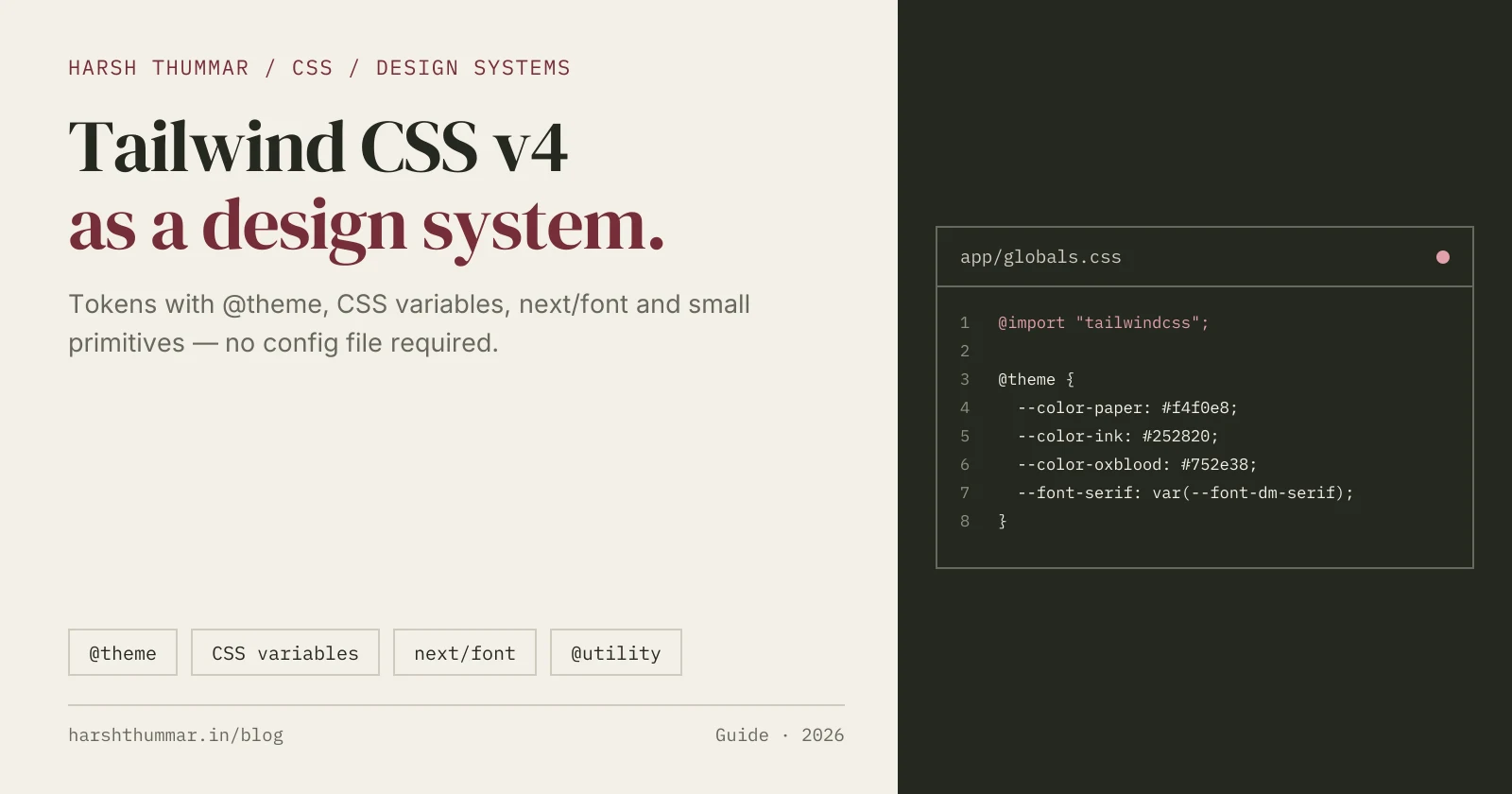
Tailwind CSS v4 changes where your design system lives. The JavaScript config file is gone by default, and your tokens now sit in plain CSS, inside an @theme block.
That sounds like a small move. In practice it changes how you name colors, wire fonts, add animations, and share tokens with the rest of your CSS.
In this guide I'll walk through what changed in Tailwind CSS v4, how to set it up in Next.js 16, and how to build a small but complete design system with @theme, CSS variables, and a couple of typed React primitives.
The worked example is the "paper, ink, oxblood" system that powers this very site, harshthummar.in. Every snippet below is adapted from code running in production here.
What Changed in Tailwind CSS v4
If you are coming from v3, these are the changes that matter day to day.
CSS-first configuration
In v3 you configured everything in tailwind.config.js. In v4 the configuration lives in your CSS file. A tailwind.config.js is no longer required, and new projects usually don't have one.
One import instead of three directives
The old @tailwind base; @tailwind components; @tailwind utilities; trio is replaced by a single line:
@import "tailwindcss";That import pulls in the default theme, Preflight (the base reset), and the utilities layer, in the cascade order theme, base, components, utilities.
Automatic content detection
You no longer list content globs. Tailwind scans your project for class names automatically, skipping files ignored by .gitignore, binary files, and CSS files. You only step in when something lives outside that scan, which is what @source is for (covered below).
New build integrations
The PostCSS plugin moved to its own package, @tailwindcss/postcss. For Vite-based projects there is a first-party @tailwindcss/vite plugin, and @tailwindcss/cli replaces the old tailwindcss CLI binary.
Theme values become CSS variables
Every token you define in @theme is emitted as a real CSS custom property on :root. That means your design tokens are available everywhere: in utilities, in plain CSS, in inline styles, and in JavaScript via getComputedStyle.
Setting Up Tailwind CSS v4 in Next.js 16
Install Tailwind and the PostCSS plugin:
npm install tailwindcss @tailwindcss/postcss postcssThen create postcss.config.mjs at the project root. This is the exact file this site uses:
const config = {
  plugins: {
    "@tailwindcss/postcss": {},
  },
};

export default config;
Notice what's missing: no autoprefixer, no postcss-import. Tailwind CSS v4 handles imports and vendor prefixing itself (it uses Lightning CSS under the hood).
Finally, import Tailwind at the top of app/globals.css and import that file in your root layout:
@import "tailwindcss";// app/layout.tsx
import "./globals.css";That's the whole setup. If you are on Vite instead (a plain React SPA, for example), swap the PostCSS plugin for @tailwindcss/vite:
// vite.config.ts
import { defineConfig } from "vite";
import react from "@vitejs/plugin-react";
import tailwindcss from "@tailwindcss/vite";

export default defineConfig({
  plugins: [react(), tailwindcss()],
});
Not sure which framework fits your project in the first place? My React vs Next.js comparison covers that decision.
Defining Design Tokens with @theme
The @theme directive is the heart of a Tailwind CSS v4 design system. Each variable you declare belongs to a namespace, and the namespace decides which utilities Tailwind generates.
Here is the token set for this site, taken straight from globals.css:
@import "tailwindcss";

/* Design tokens: "Paper, ink, oxblood." */
@theme {
  --color-paper: #f4f0e8;
  --color-ink: #252820;
  --color-oxblood: #752e38;
  --color-oxblood-deep: #57212a;
  --color-muted: #67685d;
  --color-rule: #cfcbbf;
  --color-wash: #e8e3d8;
  --color-field: #fffcf6;

  --font-serif: var(--font-dm-serif), Georgia, "Times New Roman", serif;
  --font-sans: var(--font-inter), ui-sans-serif, system-ui, sans-serif;
  --font-mono: var(--font-plex-mono), ui-monospace, SFMono-Regular, Menlo, monospace;

  --tracking-meta: 0.8px;
  --tracking-display: -0.8px;
}
From those few lines, Tailwind generates a full set of utilities:
--color-papergives youbg-paper,text-paper,border-paper,fill-paper, and every other color utility, including opacity modifiers likebg-ink/80--font-serifgives youfont-serif(overriding the default serif stack)--tracking-metagives youtracking-meta
And because they are CSS variables, plain CSS can use them too:
body {
  background: var(--color-paper);
  color: var(--color-ink);
  font-family: var(--font-sans);
}

::selection {
  background: var(--color-oxblood);
  color: var(--color-paper);
}
The namespaces you'll use most
These are the namespaces defined in Tailwind's own theme.css:
--color-*for colors (bg-*,text-*,border-*,ring-*...)--font-*for font families (font-*)--text-*for font sizes (text-*)--tracking-*and--leading-*for letter spacing and line height--breakpoint-*for responsive variants (sm:,md:, or your own)--radius-*,--shadow-*,--ease-*,--animate-*--spacingas a single base unit (default0.25rem), sop-4meanscalc(var(--spacing) * 4)
That last one is worth pausing on. In v4, spacing is not a fixed list of steps. Any integer works (mt-13, gap-22) because utilities multiply the base --spacing value. Change --spacing and your entire spacing rhythm scales with it.
Replacing the default palette
By default, your tokens are added on top of Tailwind's built-in colors. If you want a strict system where nobody can reach for bg-blue-500, reset the namespace first:
@theme {
  --color-*: initial;

  --color-paper: #f4f0e8;
  --color-ink: #252820;
  --color-oxblood: #752e38;
}
I left the defaults in place on this site because a few utilities like bg-white are occasionally handy, but for a client design system with many contributors, resetting is a good guardrail.
Custom keyframes and animations
Keyframes can live inside @theme, next to the --animate-* token that uses them:
@theme {
  --animate-menu-fade: menu-fade 180ms ease-out;

  @keyframes menu-fade {
    from {
      opacity: 0;
    }
    to {
      opacity: 1;
    }
  }
}
Now animate-menu-fade is a real utility. Pair it with the motion-safe: variant so users who prefer reduced motion don't get it:
<div className="fixed inset-0 bg-ink text-paper motion-safe:animate-menu-fade">
  {/* mobile menu */}
</div>
Wiring next/font Variables into --font-* Tokens
Next.js self-hosts Google Fonts through next/font. The cleanest way to connect those fonts to Tailwind CSS v4 is with the variable option, which exposes each font as a CSS variable.
// app/layout.tsx
import { DM_Serif_Display, IBM_Plex_Mono, Inter } from "next/font/google";
import "./globals.css";

const inter = Inter({
  subsets: ["latin"],
  display: "swap",
  variable: "--font-inter",
});

const dmSerif = DM_Serif_Display({
  subsets: ["latin"],
  weight: "400",
  display: "swap",
  variable: "--font-dm-serif",
});

const plexMono = IBM_Plex_Mono({
  subsets: ["latin"],
  weight: "400",
  display: "swap",
  variable: "--font-plex-mono",
});

export default function RootLayout({ children }: { children: React.ReactNode }) {
  return (
    <html
      lang="en"
      className={[inter.variable, dmSerif.variable, plexMono.variable].join(" ")}
    >
      <body className="bg-paper font-sans text-ink">{children}</body>
    </html>
  );
}
The variable classes define --font-inter, --font-dm-serif, and --font-plex-mono on the <html> element. Our @theme block then references them:
--font-serif: var(--font-dm-serif), Georgia, "Times New Roman", serif;Two details make this robust:
- Different names. The next/font variable (
--font-dm-serif) is not the same as the Tailwind token (--font-serif). Reusing the same name would create a self-referencing variable. - Fallback stacks. Each token ends with system fonts, so text still renders sensibly before the web font loads.
Because theme variables are defined on :root and the next/font classes are on <html> (which is :root), the var() resolves correctly. If you ever set a referenced variable on a deeper element, use @theme inline { ... } so Tailwind inlines the var() into each utility instead of resolving it at :root.
Self-hosted fonts with display: "swap" also help your Core Web Vitals. I cover that side in Next.js 16 Performance Optimization.
Small Reusable Classes: @layer components and @utility
Utilities in markup should be your default. But some patterns repeat on every page, and a short named class is easier to read and change.
@layer components for multi-property patterns
This site defines a handful of editorial classes in the components layer:
@layer components {
  /* Metadata: IBM Plex Mono 11, 0.8 tracking, uppercase. */
  .meta {
    font-family: var(--font-mono);
    font-size: 11px;
    line-height: 1.6;
    letter-spacing: var(--tracking-meta);
    text-transform: uppercase;
  }

  /* Editorial headings: DM Serif Display, 1.1 line height. */
  .display {
    font-family: var(--font-serif);
    font-weight: 400;
    line-height: 1.1;
    letter-spacing: var(--tracking-display);
  }
}
Because the components layer comes before utilities, a utility can always override them: <h1 class="display text-5xl"> works without specificity fights.
@utility for real, variant-aware utilities
@utility registers a class as a proper Tailwind utility. Unlike a plain class, it works with every variant (hover:, md:, dark:) and is sorted with the other utilities:
@utility page-inset {
  margin-inline: auto;
  width: 100%;
  max-width: 1440px;
  padding-inline: 24px;

  @media (width >= 48rem) {
    padding-inline: 40px;
  }

  @media (width >= 80rem) {
    padding-inline: 80px;
  }
}
My rule of thumb: use @utility for single-purpose, composable helpers you might want under a variant, and @layer components for named typographic or layout recipes. Keep both lists short. If a class needs props or logic, it should be a React component instead.
Dark Mode and Other Variants with @custom-variant
In v4, the dark: variant follows prefers-color-scheme by default. If you want a class-based toggle instead, redefine the variant with @custom-variant:
@custom-variant dark (&:where(.dark, .dark *));Combined with CSS variables, a design-system-friendly approach is to keep utility names stable and swap token values:
@theme {
  --color-paper: #f4f0e8;
  --color-ink: #252820;
}

@layer base {
  .dark {
    --color-paper: #1b1c18;
    --color-ink: #ece7dc;
  }
}
Now bg-paper text-ink flips automatically under .dark, and you reach for dark: only for genuine one-off differences. The dark values above are illustrative; this site ships light only.
@custom-variant is not just for dark mode. Any selector or at-rule pattern can become a variant, for example a data attribute:
@custom-variant theme-print (&:where([data-theme="print"] *));Telling Tailwind Where to Look with @source
Automatic detection covers your app code, but it skips anything in .gitignore, which includes node_modules. If you consume a shared UI package that ships Tailwind classes, register it explicitly:
@import "tailwindcss";
@source "../node_modules/@acme/ui";
Paths are relative to the stylesheet. Tailwind CSS 4.1 also added @source not to exclude paths and @source inline() to safelist specific classes that never appear in your source files.
Building Primitives: Button and Tag with cn()
Tokens only become a system once components enforce them. The pattern I use on every project is small typed primitives plus a cn() helper.
The cn() helper
// lib/utils.ts
import { type ClassValue, clsx } from "clsx";
import { twMerge } from "tailwind-merge";

export function cn(...inputs: ClassValue[]) {
  return twMerge(clsx(inputs));
}
clsx handles conditional classes. tailwind-merge resolves conflicts so the last one wins: cn("px-4", "px-6") returns "px-6". Without it, both classes would end up in the markup and the winner would depend on stylesheet order, not your intent. Use tailwind-merge v3 or later with Tailwind CSS v4.
Button
// components/ui/Button.tsx
import Link from "next/link";
import type { ComponentProps } from "react";
import { cn } from "@/lib/utils";

type Variant = "primary" | "secondary";

const base =
  "inline-flex min-h-12 items-center rounded-[3px] border px-[22px] py-3.5 text-sm font-medium leading-none transition-colors duration-150 ease-out active:translate-y-px motion-reduce:active:translate-y-0 disabled:cursor-not-allowed disabled:opacity-80";

const variants: Record<Variant, string> = {
  primary: "border-oxblood bg-oxblood text-paper hover:border-oxblood-deep hover:bg-oxblood-deep",
  secondary: "border-oxblood bg-paper text-oxblood hover:bg-wash",
};

export function buttonClasses(variant: Variant = "primary", className?: string) {
  return cn(base, variants[variant], className);
}

type ButtonProps = ComponentProps<"button"> & { variant?: Variant };

export function Button({ variant = "primary", className, type = "button", ...props }: ButtonProps) {
  return <button type={type} className={buttonClasses(variant, className)} {...props} />;
}

type ButtonLinkProps = ComponentProps<typeof Link> & { variant?: Variant };

export function ButtonLink({ variant = "primary", className, ...props }: ButtonLinkProps) {
  return <Link className={buttonClasses(variant, className)} {...props} />;
}
Exporting buttonClasses lets you style things that aren't a <button> or <Link> (a form submit inside a third-party component, for example) without duplicating strings. Defaulting type="button" prevents accidental form submissions.
Tag
// components/ui/Tag.tsx
import type { ReactNode } from "react";
import { cn } from "@/lib/utils";

export function Tag({ children, className }: { children: ReactNode; className?: string }) {
  return (
    <span
      className={cn(
        "inline-flex h-11 items-center border border-rule px-4 font-mono text-[11px] leading-none whitespace-nowrap text-ink",
        className
      )}
    >
      {children}
    </span>
  );
}
Every color here is a token (border-rule, text-ink, bg-oxblood). If the brand oxblood ever changes, I edit one line in globals.css. Strong types on component props pay off the same way; my TypeScript with React and Node.js guide goes deeper on that.
Migrating from Tailwind CSS v3 to v4
Tailwind ships an official upgrade tool. Run it on a clean branch:
npx @tailwindcss/upgradeIt requires Node.js 20 or newer. It updates dependencies, migrates your tailwind.config.js into CSS, swaps the @tailwind directives for @import "tailwindcss", and rewrites renamed classes in your templates. Review the diff carefully, especially in large projects.
Things worth checking by hand afterwards:
- Renamed scales.
shadow-smbecameshadow-xs,shadowbecameshadow-sm,rounded-smbecamerounded-xs,roundedbecamerounded-sm, andoutline-nonebecameoutline-hidden. - Border and ring defaults.
bordernow usescurrentColorinstead of gray, andringis 1px instead of 3px. Set colors and widths explicitly. - Opacity utilities.
bg-opacity-*and friends are gone. Use modifiers likebg-ink/50. - Variables in arbitrary values.
bg-[--brand]is now writtenbg-(--brand). - Important modifier. It moves to the end:
bg-oxblood!. - Browser support. v4 targets modern browsers (Safari 16.4+, Chrome 111+, Firefox 128+). If you must support older browsers, stay on v3.4.
If a JavaScript config is still needed during migration, you can load it explicitly with @config "../tailwind.config.js";, but treat that as a bridge, not a destination.
Common Tailwind CSS v4 Mistakes
Keeping a dead tailwind.config.js
In v4, a JS config is not picked up automatically. Developers edit theme.extend and wonder why nothing changes. Move tokens into @theme or wire the file in with @config.
Defining tokens in :root instead of @theme
A variable declared in :root is just a variable. Only variables inside @theme generate utilities. Use @theme for tokens and :root for values that should never become classes.
Naming tokens by value instead of role
--color-dark-red ages badly. --color-oxblood (brand) or --color-accent (role) survives a redesign. Pick one convention and stick to it.
Building class names dynamically
// ❌ Tailwind can't see this class in your source
<span className={"text-" + tone} />

// ✅ Map to complete class strings
const tones = { ink: "text-ink", oxblood: "text-oxblood" } as const;
<span className={tones[tone]} />
Content detection reads your files as plain text. It never runs your code, so class names must appear in full.
Overusing arbitrary values
One text-[11px] is fine. Twenty different arbitrary sizes means a missing token. When a value repeats, promote it to @theme. If you add custom --text-* sizes, also register them with tailwind-merge's extendTailwindMerge so cn() classifies them as font sizes rather than colors.
Forgetting focus and motion
A design system is also its interaction states. This site sets a global :focus-visible outline using var(--color-ink) and disables animation under prefers-reduced-motion. Bake those into the base layer once instead of remembering them per component.
Tailwind CSS v4 Design System Checklist
@tailwindcss/postcss(or@tailwindcss/vite) installed and configured@import "tailwindcss";at the top of the global stylesheet- All colors, fonts, and tracking defined as
@themetokens with role-based names --color-*: initialused if the default palette should be off limits- next/font
variablenames differ from the Tailwind--font-*tokens, with fallback stacks - Keyframes paired with
--animate-*tokens and gated withmotion-safe: - Repeated recipes moved to
@layer componentsor@utility @custom-variant darkdefined if you need a class-based theme toggle@sourceadded for any external package that ships Tailwind classes- Button, Tag, and other primitives built with
cn()and typed variants - Global
:focus-visibleand reduced-motion rules in place
My Recommendation
Start every new Next.js project with an @theme block before writing a single component. Even five colors and three fonts is enough to stop hex codes from leaking into markup.
Then build two primitives, usually Button and Tag, and use them everywhere. Once those exist, new pages are mostly layout, and visual consistency becomes the default instead of something you police in code review.
I used this approach on NutriLeft, a content-heavy Next.js platform where consistent typography across many pages mattered, and it's the same system you're reading right now.
Related Next.js and React Guides
- Next.js 16 Performance Optimization →15 techniques to improve Core Web Vitals, fonts, and bundle size.
- React Server Components Explained →How server and client boundaries shape your component architecture.
- React 19 Hooks Explained →useActionState, useOptimistic, and modern form patterns.
- Secure Next.js Contact Form →Server Actions, Zod validation, and accessible form UI.
- TypeScript with React and Node.js →Type-safe props, APIs, and shared types across the stack.
Frequently Asked Questions
Does Tailwind CSS v4 still need tailwind.config.js?
No. Tailwind CSS v4 is configured in CSS with @theme and related directives. A JS config is optional and only loaded if you reference it with @config.
How do I add custom colors in Tailwind CSS v4?
Declare them in @theme with the --color- prefix, for example --color-oxblood: #752e38;. Tailwind then generates bg-oxblood, text-oxblood, border-oxblood, and the matching CSS variable.
How do I use Tailwind CSS v4 with Next.js?
Install tailwindcss and @tailwindcss/postcss, add the plugin to postcss.config.mjs, and put @import "tailwindcss"; at the top of app/globals.css. No content paths are required.
What is the difference between @utility and @layer components?
@utility registers a true utility that works with every variant and sorts with other utilities. @layer components holds plain classes that utilities can override, which suits multi-property recipes.
How do I enable class-based dark mode in Tailwind CSS v4?
Add @custom-variant dark (&:where(.dark, .dark *)); to your CSS. The dark: variant then applies whenever an ancestor has the dark class instead of following the system preference.
Can I use Tailwind CSS v4 theme values in plain CSS?
Yes. Every @theme token is output as a CSS custom property, so you can write color: var(--color-ink) anywhere in your stylesheets or inline styles.
Conclusion
Tailwind CSS v4 makes your stylesheet the single source of truth for your design system. Tokens declared in @theme become utilities and CSS variables at the same time, which removes the old gap between "Tailwind config" and "real CSS".
Combine that with next/font variables, a short list of @utility and component classes, and a few typed primitives built on cn(), and you get a system that is small, consistent, and easy to change.
Start with a handful of tokens, build Button and Tag, and let the rest of the UI grow from there. Then follow up with Next.js performance optimization to make sure your fonts and CSS ship as fast as they look.