Next.js 16 Authentication: Secure Login, JWT, Sessions and Protected Routes
Learn how to implement secure authentication in Next.js 16 with login, sessions, protected routes, authorization, password hashing, JWT concepts, and best practices.
By Harsh Thummar 11–14 min read
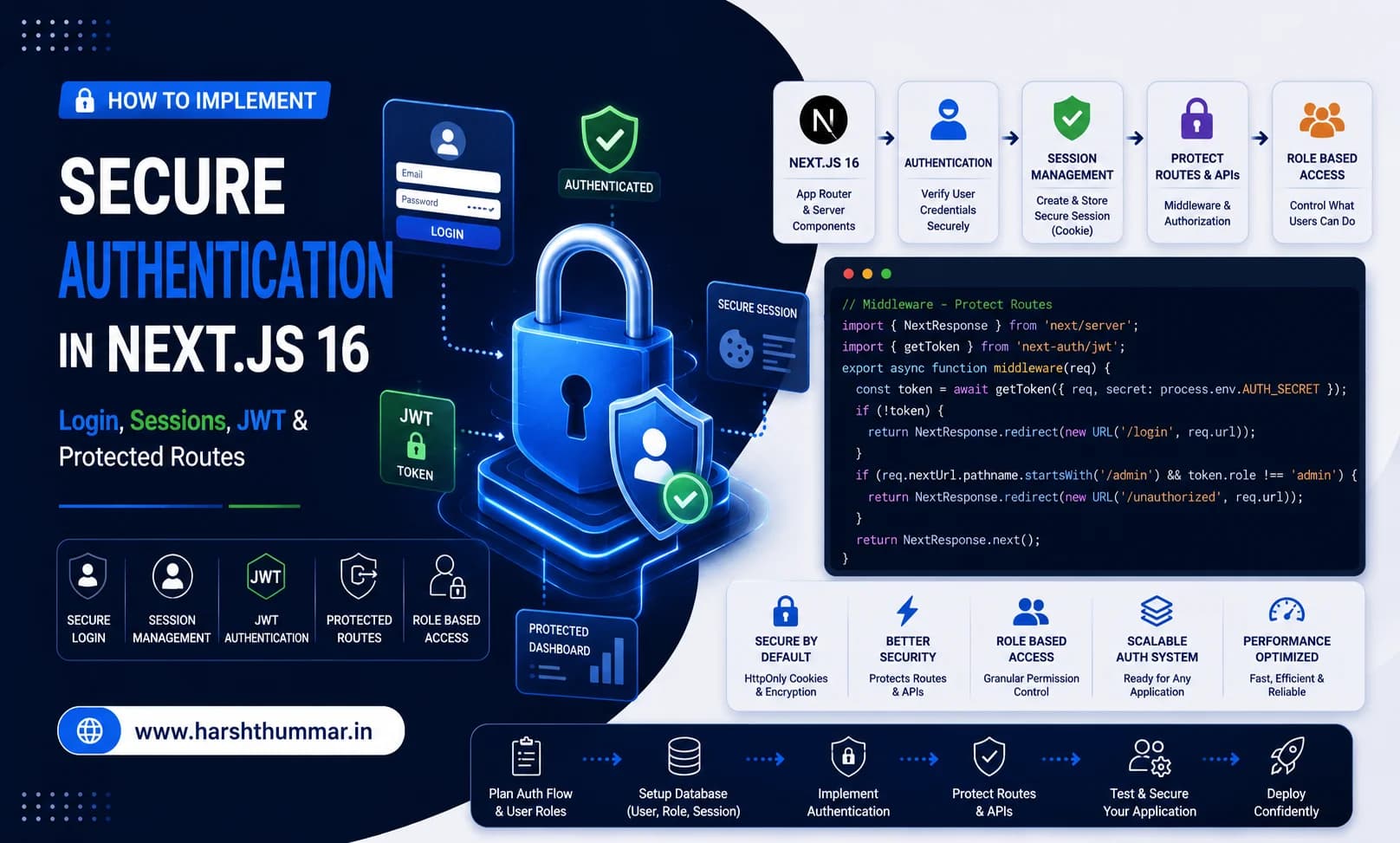
Almost every serious web application eventually needs authentication.
Whether you're building:
- SaaS applications and client portals
- Real-time executive dashboards
- E-commerce and subscription platforms
- Content Management Systems (CMS)
- AI agent platforms and multi-tenant tooling
- Recruitment and candidate platforms (such as our VettedPool Case Study)
You need a reliable, bulletproof way to answer two foundational security questions:
- Who is this user?
- What is this user allowed to do?
These represent two distinct security domains:
Authentication (AuthN) → "Who are you?" (Identity Verification)
Authorization  (AuthZ) → "What can you access?" (Permission & Role Checks)
Next.js provides the modern full-stack framework foundation, while authentication systems like Auth.js (NextAuth.js v5) or custom session layers handle token exchange, session persistence, sign-in, and sign-out.
In this comprehensive guide, we will explore authentication architecture in Next.js 16, login flows, session cookies, password hashing with bcrypt, JWT concepts, protected routes, role-based access control (RBAC), and production security best practices.
Authentication vs Authorization
Before writing any authentication code, it is critical to understand the distinction between Authentication and Authorization.
Authentication (Who are you?)
Authentication verifies a user's claimed identity through credentials or third-party providers.
User enters:
Email: harsh@example.com
Password: ••••••••••••
      ↓
Application checks database & verifies password hash:
      ↓
Identity Confirmed: User is Authenticated as Harsh
Authorization (What can you do?)
Authorization determines the specific actions, records, or routes an authenticated user is permitted to access.
User (Harsh) → Authenticated → Role: Admin → Access to /admin/analytics ✅
User (Guest) → Authenticated → Role: User  → Access to /admin/analytics ❌ (403 Forbidden)
In summary:
- Authentication = Verifying identity.
- Authorization = Enforcing permissions and access levels.
Typical Authentication Flow in Next.js 16
A modern, production-grade login and session lifecycle works through the following server-side flow:
User Submits Login Form
           ↓
Next.js Server Action / Route Handler
           ↓
Validate Input Schema (Zod)
           ↓
Find User in Database (MongoDB / PostgreSQL)
           ↓
Verify Password Hash (bcrypt.compare)
           ↓
Create Cryptographically Signed Session Token
           ↓
Set Secure, HttpOnly, SameSite Cookie
           ↓
Redirect to Protected Dashboard (/dashboard)
When the user subsequently requests a protected page or API route:
Browser Request + Cookie
           ↓
Next.js Middleware / Server Component
           ↓
Read & Validate Session Cookie
           ├── Valid Session   → Render Protected UI / Execute API
           └── Invalid Session → Redirect to /login?callbackUrl=/dashboard
Why Authentication Must Be Server-Side
Never trust the client browser to enforce security decisions.
A common vulnerability in beginner React applications is checking authentication or roles in client-side storage:
// ❌ INSECURE: Never do this!
if (localStorage.getItem("isAdmin") === "true") {
  showAdminPanel();
}
Any user can open browser DevTools, edit localStorage, or bypass frontend UI toggles.
The server must independently authenticate every incoming request and enforce authorization rules at the data layer:
Browser Request → Next.js Server → Verify Session Token → Enforce RBAC → Return Authorized DataTo understand how server execution boundaries keep your secrets and code safe, review our deep-dive on React Server Components.
Next.js 16 Authentication Project Structure
A clean, modular directory structure for authentication in the App Router:
app/
├── (auth)/
│   ├── login/
│   │   └── page.tsx           # Login Form UI
│   └── register/
│       └── page.tsx           # Registration Form
├── (protected)/
│   ├── dashboard/
│   │   └── page.tsx           # Authenticated Dashboard
│   └── admin/
│       └── page.tsx           # Admin-Only Route
├── api/
│   └── auth/
│       └── [...nextauth]/
│           └── route.ts       # Auth API Handler
├── middleware.ts              # Edge Route Guard
auth.ts                        # Auth.js / NextAuth Configuration
auth.config.ts                 # Edge-Compatible Auth Options
lib/
├── db.ts                      # Database Client (MongoDB / Prisma)
└── auth/
    ├── password.ts            # Hashing & Comparison Helpers
    └── session.ts             # Session Helpers
Configuring Auth.js / NextAuth.js
For many applications, using a battle-tested authentication framework like Auth.js (formerly NextAuth.js) is significantly safer than building session management entirely from scratch.
Install the core library:
npm install next-auth@beta1. Configure the Authentication Secret
Every authentication system requires an encryption key to sign session tokens and cookies.
Add to your .env.local:
AUTH_SECRET="your-super-long-cryptographically-random-secret-key-32-chars-min"Generate a cryptographically secure key with:
openssl rand -base64 32Credentials Authentication & Secure Password Hashing
If you are implementing custom email and password login, you must follow strict security standards:
Receive Plaintext Credentials → Validate with Zod → Hash with bcrypt (Cost Factor 12) → Store Only Hash1. Validate Input Schemas with Zod
Never accept raw form data without server-side validation:
// lib/auth/schema.ts
import { z } from "zod";

export const LoginSchema = z.object({
  email: z.string().email({ message: "Please enter a valid email address." }),
  password: z.string().min(8, { message: "Password must be at least 8 characters." }),
});

export type LoginInput = z.infer<typeof LoginSchema>;
2. Password Hashing with bcrypt
Never store plaintext passwords in your database. If a database is ever compromised, plaintext passwords expose every user across multiple platforms.
// lib/auth/password.ts
import bcrypt from "bcrypt";

const SALT_ROUNDS = 12;

export async function hashPassword(password: string): Promise<string> {
  return await bcrypt.hash(password, SALT_ROUNDS);
}

export async function verifyPassword(password: string, hash: string): Promise<boolean> {
  return await bcrypt.compare(password, hash);
}
Cookie Security: Cookies vs LocalStorage
Storing authentication tokens in localStorage exposes your application to Cross-Site Scripting (XSS) attacks, where malicious third-party scripts can extract user tokens.
For web applications, HTTP-only, Secure Cookies provide the highest standard of protection:
- HttpOnly : Prevents client-side JavaScript from reading the cookie via
document.cookie. - Secure : Ensures cookies are only transmitted over encrypted HTTPS connections.
- SameSite (Lax/Strict) : Protects against Cross-Site Request Forgery (CSRF) attacks.
// Example cookie configuration
const cookieOptions = {
  httpOnly: true,
  secure: process.env.NODE_ENV === "production",
  sameSite: "lax" as const,
  path: "/",
  maxAge: 60 * 60 * 24 * 7, // 7 days
};
JWT vs Session-Based Authentication
Understanding the trade-offs between JSON Web Tokens (JWT) and Database Sessions:
- Token contains claims : JWT (✅ Yes, self-contained) | Database Session (❌ Stores only session ID)
- Database lookup per request : JWT (❌ None, verified with secret) | Database Session (✅ Queries session table)
- Instant revocation capability : JWT (⚠️ Harder, requires token blocklist) | Database Session (✅ Instant deletion)
- Scalability across microservices : JWT (✅ Excellent) | Database Session (⚠️ Requires shared store like Redis)
- Best suited for : JWT (APIs & Distributed systems) | Database Session (Traditional web portals & SaaS)
If you are developing a decoupled backend, check our complete guide on secure REST API authentication.
Protecting Routes in Next.js 16
1. Protecting Pages via Server Components
In Next.js 16, Server Components make page-level route protection direct and instantaneous:
// app/(protected)/dashboard/page.tsx
import { auth } from "@/auth";
import { redirect } from "next/navigation";

export default async function DashboardPage() {
  const session = await auth();

  // If no session exists, redirect immediately before rendering any HTML
  if (!session?.user) {
    redirect("/login?callbackUrl=/dashboard");
  }

  return (
    <main className="container mx-auto py-10">
      <h1 className="text-3xl font-bold text-white">Welcome back, {session.user.name}!</h1>
      <p className="text-gray-400 mt-2">Your role: {session.user.role}</p>
    </main>
  );
}
2. Edge Middleware Route Protection
You can also intercept requests at the edge before they reach your rendering pipeline:
// middleware.ts
import { NextResponse } from "next/server";
import type { NextRequest } from "next/server";

export function middleware(request: NextRequest) {
  const sessionToken = request.cookies.get("authjs.session-token")?.value;
  const isProtectedPath = request.nextUrl.pathname.startsWith("/dashboard") ||
                          request.nextUrl.pathname.startsWith("/admin");

  if (isProtectedPath && !sessionToken) {
    const loginUrl = new URL("/login", request.url);
    loginUrl.searchParams.set("callbackUrl", request.nextUrl.pathname);
    return NextResponse.redirect(loginUrl);
  }

  return NextResponse.next();
}

export const config = {
  matcher: ["/dashboard/:path*", "/admin/:path*"],
};
Role-Based Access Control (RBAC)
Authentication confirms who the user is. Authorization checks if their role allows them into administrative interfaces:
// app/(protected)/admin/page.tsx
import { auth } from "@/auth";
import { redirect } from "next/navigation";

export default async function AdminPage() {
  const session = await auth();

  if (!session?.user) {
    redirect("/login");
  }

  // Enforce Authorization (RBAC)
  if (session.user.role !== "admin") {
    // 403 Forbidden redirect to general dashboard
    redirect("/dashboard?error=unauthorized");
  }

  return (
    <div className="p-8">
      <h1 className="text-2xl font-bold text-red-500">Super Admin Panel</h1>
      {/* Admin privileged controls */}
    </div>
  );
}
Protecting API Route Handlers
Never assume an API is safe because its corresponding frontend page is hidden. Attackers can call endpoints directly using tools like cURL or Postman:
// app/api/admin/users/route.ts
import { auth } from "@/auth";
import { NextResponse } from "next/server";
import { db } from "@/lib/db";

export async function GET() {
  const session = await auth();

  // 1. Authentication Check (401 Unauthorized)
  if (!session?.user) {
    return NextResponse.json(
      { error: "Authentication required" },
      { status: 401 }
    );
  }

  // 2. Authorization Check (403 Forbidden)
  if (session.user.role !== "admin") {
    return NextResponse.json(
      { error: "Forbidden: Admin access required" },
      { status: 403 }
    );
  }

  const users = await db.user.findMany({
    select: { id: true, name: true, email: true, role: true },
  });

  return NextResponse.json({ users });
}
Secure Logout Implementation
Logging out should destroy the session server-side rather than simply resetting client UI state:
// components/SignOutButton.tsx
import { signOut } from "@/auth";

export function SignOutButton() {
  return (
    <form
      action={async () => {
        "use server";
        await signOut({ redirectTo: "/" });
      }}
    >
      <button
        type="submit"
        className="px-4 py-2 bg-red-600/20 text-red-400 border border-red-500/30 rounded-lg hover:bg-red-600/30 transition-colors"
      >
        Sign Out
      </button>
    </form>
  );
}
Integrating Authentication with AI Agents
In our tutorial on AI agents with Next.js, an AI agent can execute tools that interact with databases and payment gateways.
Always pass the authenticated user context to tool definitions:
// Example: Securing AI Agent Tools with User Context
export const createInvoiceTool = (session: Session) => ({
  description: "Create an invoice for the current user",
  parameters: InvoiceSchema,
  execute: async (args) => {
    // Enforce tenant isolation: user cannot generate invoice for another user ID
    if (!session?.user?.id) {
      throw new Error("Unauthorized AI execution");
    }

    return await createInvoice({
      userId: session.user.id,
      amount: args.amount,
    });
  },
});
7 Critical Authentication Mistakes to Avoid
- Storing Passwords in Plaintext: Always use bcrypt with at least 12 salt rounds.
- Trusting Client-Side State: Never rely on
localStorageor frontend booleans for route protection. - Protecting UI but Forgetting APIs: Always enforce session checks in Route Handlers and Server Actions.
- Weak or Committed Secrets: Always generate high-entropy
AUTH_SECRETvalues and keep them out of Git. - No Login Rate Limiting: Protect your
/api/authroutes against brute-force attacks using Redis rate limiters. - Deploying Without HTTPS: Secure cookies require HTTPS in production to prevent man-in-the-middle packet sniffing.
- Verbose Error Messages: Avoid saying "Password incorrect for user@email.com". Use generic messages like *"Invalid email or password"* to prevent user enumeration.
Production Security Pre-Deployment Checklist
- Passwords hashed with bcrypt (salt rounds $ge$ 12)
AUTH_SECRETgenerated and stored securely in production environment variables- HTTPS enforced across all production domains
- Session cookies set with
HttpOnly,Secure, andSameSite=Lax - Server-side Zod validation on all authentication forms
- Server Components verify session before rendering sensitive views
- API Route Handlers return 401 for unauthenticated and 403 for unauthorized requests
- Server-side sign-out destroys session records and clears cookies
- Brute-force rate limiting active on login endpoints
Related Full-Stack Architecture Guides
- React Server Components Explained →Deep-dive into Next.js 16 Server Components and data boundaries.
- Next.js 16 Performance Optimization →15 techniques to maximize web performance and Core Web Vitals.
- How to Build a Secure REST API with Node.js & MongoDB →Complete guide to JWT authentication, password hashing, and API security.
- How to Build an AI Agent with Next.js 16 →Autonomous agents, tool calling, and streaming UI.
- VettedPool Case Study →Enterprise recruitment platform with role-based authentication and 4 distinct dashboards.
Frequently Asked Questions
What is the difference between Authentication and Authorization?
Authentication verifies who you are (your identity through credentials or OAuth). Authorization determines what you are allowed to access (roles and permissions).
Should I use JWTs or database sessions in Next.js?
For standard SaaS applications and dashboards, HTTP-only cookie sessions provide straightforward revocation and high security. JWTs are advantageous for distributed microservices and decoupled mobile APIs.
Why shouldn't I store authentication tokens in localStorage?
Tokens stored in localStorage can be accessed by any JavaScript running in the browser, leaving your application vulnerable to Cross-Site Scripting (XSS) attacks. HTTP-only cookies are inaccessible to client-side scripts.
How does Next.js 16 handle route protection?
Next.js protects routes using server-side session checks in Server Components, layouts, Route Handlers, and Edge Middleware.
What is the difference between HTTP status codes 401 and 403?
401 Unauthorized means the user is not logged in (no valid session). 403 Forbidden means the user is authenticated but lacks the necessary role or permissions to view the requested resource.
Conclusion
Building a secure authentication system is an essential step in transitioning from a simple prototype to a production-ready web application.
By combining server-side session verification, bcrypt password hashing, HTTP-only cookies, and strict Role-Based Access Control (RBAC), your Next.js 16 applications will remain resilient against modern web security threats.
When integrated with React Server Components and Next.js performance optimization, your authentication architecture will deliver both maximum security and an instant, seamless user experience.