
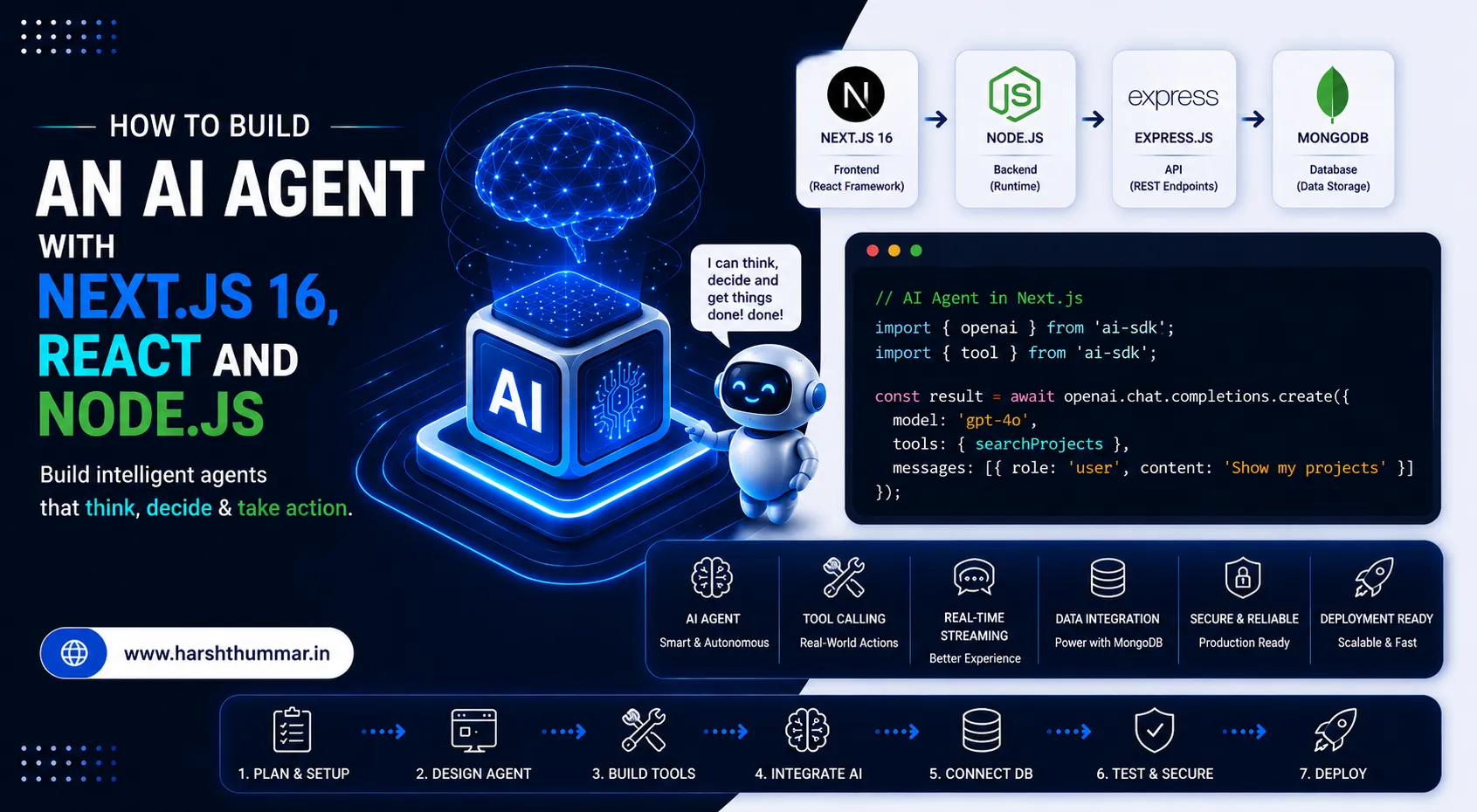
How to Build an AI Agent with Next.js 16 and React in 2026
Artificial intelligence has moved beyond simple chat interfaces.
Modern web applications can use AI models to understand a user's request, decide what information is required, call external tools, process the result, and return a useful response.
This type of application is commonly called an AI agent.
For React and Next.js developers, this creates an interesting opportunity. Instead of building an AI feature as a completely separate backend system, you can integrate AI directly into a modern full-stack application using Next.js, TypeScript, React, and an AI SDK.
In this guide, we'll build a practical AI agent architecture using Next.js 16 and React. You'll learn how agents work, how tool calling works, how to stream responses to the browser, how to structure the project, and what you should consider before deploying an AI-powered application to production.
The current AI SDK ecosystem provides TypeScript tooling for building AI-powered applications and agents with frameworks including Next.js and React. Its agent architecture is based around models using tools in a loop to accomplish tasks.
What Is an AI Agent?
A traditional AI chatbot generally follows a simple linear flow:
User → AI Model → ResponseAn AI agent follows a dynamic, decision-making execution loop:
User → AI Model → Understand Request → Choose Tool → Execute Tool → Read Result → Decide Next Step → Generate Final ResponseFor example, imagine a user asks:
"Find my latest project and tell me which technologies it uses."
A basic chatbot may only answer from information already present in its prompt context.
An AI agent can:
- Understand the user's intent.
- Determine that external project information is required.
- Call a project database search tool.
- Receive the raw project data from your database.
- Analyze and synthesize the result.
- Generate the accurate, context-aware final response.
That ability to use tools autonomously to complete a multi-step task is the defining difference between a basic chat interface and an agent.
Why Build AI Agents with Next.js?
Next.js is uniquely suited for AI applications because both frontend and server-side execution live seamlessly in the same codebase. If you are evaluating frontend frameworks, read our detailed comparison on React vs Next.js.
You can use:
- React for building dynamic, reactive user interfaces
- Next.js App Router for application routing and streaming
- TypeScript for end-to-end type safety and schema validation
- Server-side code for protected operations
- API routes or server functions for backend operations
- Streaming for real-time AI responses
- Database integrations for persistent data
- AI SDKs for model interaction and tool calling
Next.js 16 continues to build around modern server/client architecture, while its current documentation supports Server Components, streaming and newer caching capabilities.
What We Are Going to Build
For this tutorial, imagine we're building a Developer Assistant Agent. The user can interact with the agent to query real developer portfolio and project data:
- What projects have I worked on?
- What technologies did I use in my VettedPool project?
The agent can call a project-search tool when it needs information. If you want to explore broader AI SaaS architecture, check out our guide on how to build AI-powered web applications with Next.js.
Architecture Overview
React UI → Next.js Server → AI Agent → LLM → Tool → Project Data → AI Response → React UIPrerequisites & Project Setup
Before starting, you should have basic knowledge of:
- JavaScript & React
- TypeScript
- Next.js App Router
- REST APIs & async/await
- Environment variables
To strengthen your type system across client and server, explore our guide on TypeScript with React and Node.js.
Create a Next.js project:
npx create-next-app@latest ai-agent-demoSelect TypeScript and App Router during setup.
Then move into the project:
cd ai-agent-demoInstall the AI SDK and Zod:
npm install ai zodThe AI SDK is designed as a TypeScript toolkit for AI-powered applications and agents across React, Next.js and other frameworks.
Project Structure
A clean project layout:
ai-agent-demo/
├── app/
│   ├── api/
│   │   └── chat/
│   │       └── route.ts
│   ├── page.tsx
│   └── layout.tsx
├── components/
│   └── chat.tsx
├── lib/
│   └── tools.ts
├── .env.local
└── package.json
Keeping AI tools inside a dedicated lib directory makes the application easier to maintain as the number of tools grows.
Step 1: Configure Your AI Provider
Store your API key in an environment variable (.env.local):
AI_API_KEY=your_api_key_hereNever expose private API keys inside client-side React components.
Your browser should communicate with your Next.js server, while the server communicates with the AI provider:
Browser → Next.js Server (Protected) → AI ProviderNot:
Browser → AI Providerwith a private API key embedded in JavaScript.
Step 2: Create the Agent Route
Create app/api/chat/route.ts:
import { generateText } from "ai";

export async function POST(req: Request) {
  const { message } = await req.json();

  const result = await generateText({
    model: "your-model",
    prompt: message,
  });

  return Response.json({
    response: result.text,
  });
}
This is the simplest possible AI request.
However, this is not yet an agent without tool usage or a decision-making loop.
Step 3: Add a Tool
The real power of an agent starts when you provide tools. Define lib/tools.ts:
import { tool } from "ai";
import { z } from "zod";

export const searchProjects = tool({
  description: "Search developer projects by project name or technology.",
  inputSchema: z.object({
    query: z.string(),
  }),
  execute: async ({ query }) => {
    const projects = [
      {
        name: "VettedPool",
        technologies: ["React", "Next.js", "Node.js"],
      },
      {
        name: "Zomato Clone",
        technologies: ["React", "Redux Toolkit", "Tailwind CSS"],
      },
    ];

    return projects.filter((project) =>
      project.name.toLowerCase().includes(query.toLowerCase())
    );
  },
});
The exact APIs can change between AI SDK releases, so check the current AI SDK documentation when implementing a production project. The underlying concept remains the same: define a tool with a description, structured input and server-side execution.
Step 4: Give the Agent Access to the Tool
Now the model can be provided with the available tool:
import { generateText } from "ai";
import { searchProjects } from "@/lib/tools";

const result = await generateText({
  model: "your-model",
  prompt: message,
  tools: {
    searchProjects,
  },
});
Now the model can determine whether it needs the tool:
User: What technologies did I use in VettedPool?
  ↓
Model: I need project information.
  ↓
Call searchProjects with query = "VettedPool"
  ↓
Receive project data
  ↓
Generate final response
This is the fundamental agent pattern.
Tool Calling vs Normal AI Responses
A normal AI response:
Question → Model → AnswerAn agent:
Question → Model → Need information? → Yes → Call tool → Receive data → Model → Final answerThe difference becomes extremely important when building applications that need access to real information.
Examples include:
- Customer support agents
- E-commerce assistants
- Financial dashboards
- Developer assistants
- Internal company search
- CRM assistants
- Booking assistants
- Analytics assistants
Step 5: Add Streaming
Users generally don't want to stare at a blank screen while an AI model generates a long response.
Streaming allows the application to display the response as it arrives.
Instead of:
[Wait 5 seconds] → [Complete response appears]the user experiences:
Hello → Hello, I → Hello, I found → Hello, I found your project...This makes an AI application feel significantly more responsive.
The AI SDK provides streaming support for React and Next.js applications.
Step 6: Build the React Chat Interface
A simple client component in components/chat.tsx:
"use client";

import { useState } from "react";

export default function Chat() {
  const [message, setMessage] = useState("");
  const [response, setResponse] = useState("");
  const [isLoading, setIsLoading] = useState(false);

  async function sendMessage(e: React.FormEvent) {
    e.preventDefault();
    if (!message.trim() || isLoading) return;

    setIsLoading(true);
    setResponse("");

    try {
      const res = await fetch("/api/chat", {
        method: "POST",
        headers: { "Content-Type": "application/json" },
        body: JSON.stringify({ message }),
      });

      const data = await res.json();
      setResponse(data.response);
    } catch (error) {
      console.error("Failed to send message:", error);
      setResponse("An error occurred while communicating with the AI agent.");
    } finally {
      setIsLoading(false);
    }
  }

  return (
    <div className="max-w-2xl mx-auto p-6 bg-[#0A0D12] border border-white/10 rounded-2xl shadow-xl">
      <form onSubmit={sendMessage} className="flex gap-3">
        <input
          type="text"
          value={message}
          onChange={(e) => setMessage(e.target.value)}
          placeholder="Ask something..."
          className="flex-1 bg-white/5 border border-white/10 rounded-xl px-4 py-3 text-white placeholder-white/40 focus:outline-none focus:border-[#3978BF]"
        />
        <button
          type="submit"
          disabled={isLoading}
          className="px-6 py-3 bg-[#3978BF] hover:bg-[#2e629e] text-white font-medium rounded-xl transition-all disabled:opacity-50"
        >
          {isLoading ? "Thinking..." : "Ask AI"}
        </button>
      </form>

      {response && (
        <div className="mt-6 p-5 bg-white/5 border border-white/10 rounded-xl text-[#AEB8C2] leading-relaxed">
          {response}
        </div>
      )}
    </div>
  );
}
For production, you would replace this basic implementation with proper streaming, loading states, error handling and conversation history.
Step 7: Connect the Agent to a Database
The real value of an AI agent appears when it can access application data.
React → Next.js → AI Agent → Database Tool → MongoDBYour tool can query MongoDB:
import Project from "@/models/Project";
import connectDB from "@/lib/mongodb";

export const searchProjectsFromDB = tool({
  description: "Search projects by technology",
  inputSchema: z.object({
    query: z.string(),
  }),
  execute: async ({ query }) => {
    await connectDB();
    const projects = await Project.find({
      technologies: query,
    });
    return projects;
  },
});
The agent should not receive unrestricted database access. Instead, expose specific controlled functions:
- searchProjects()
- getProject()
- getUserProfile()
- getOrderStatus()
When designing backend endpoints and services, always follow best practices for secure Node.js REST APIs.
Security Considerations
AI agents introduce new security challenges.
Never expose secrets
Do not put API keys inside NEXT_PUBLIC environment variables unless the value is intentionally public. Private credentials belong on the server.
Validate tool inputs
Never trust model-generated parameters. Always use schema validation with Zod.
Limit tool permissions
Don't give an agent unrestricted access to:
- Database
- Filesystem
- Payments
- Admin APIs
Instead, expose narrowly scoped operations.
Add human approval for sensitive actions
If an agent can:
- Delete data
- Send an email
- Issue a refund
- Make a purchase
- Modify account settings
consider requiring user approval before execution.
The AI SDK documentation also provides human-in-the-loop patterns where tool execution can require approval.
AI Agent vs AI Chatbot
- Basic conversation : Chatbot (Yes) | AI Agent (Yes)
- Tool calling : Chatbot (Usually limited) | AI Agent (Yes)
- External data : Chatbot (Optional) | AI Agent (Common)
- Multi-step tasks : Chatbot (Limited) | AI Agent (Strong)
- Database access : Chatbot (Usually custom) | AI Agent (Tool-based)
- Automation : Chatbot (Limited) | AI Agent (Strong)
- Decision making : Chatbot (Basic) | AI Agent (More advanced)
A chatbot answers questions. An agent can take actions to complete tasks.
Common Mistakes
1. Giving the agent too many tools
More tools don't automatically make an agent better. Start with a small number of well-defined tools.
2. Poor tool descriptions
The model needs to understand when a tool should be used.
- Bad : search()
- Better : Search projects by project name or technology stack.
3. No validation
Always validate tool inputs with schemas.
4. No timeout handling
External services can fail. Your application needs timeouts, retries, fallbacks, and error handling.
5. Sending unnecessary data to the model
Large prompts increase cost and latency. Only send the information required for the current task.
6. Treating AI output as trusted data
AI-generated text is not automatically correct. Validate structured outputs and verify important operations.
Production Architecture
A scalable AI application architecture:
                    ┌──────────────┐
                    │    React     │
                    │      UI      │
                    └──────┬───────┘
                           │
                    ┌──────▼───────┐
                    │   Next.js    │
                    │  App Router  │
                    └──────┬───────┘
                           │
                    ┌──────▼───────┐
                    │  AI Agent    │
                    └──────┬───────┘
                           │
              ┌────────────┼────────────┐
              │            │            │
        ┌─────▼─────┐ ┌────▼─────┐ ┌───▼────┐
        │ Database  │ │ External │ │ Search │
        │   Tool    │ │   APIs   │ │  Tool  │
        └───────────┘ └──────────┘ └────────┘
This architecture keeps the UI, AI orchestration and application data logically separated.
How to Improve the Agent Further
Once the basic version works, you can add:
- Conversation memory : Store previous messages so the agent understands context.
- Authentication : Connect the agent to the logged-in user's permissions.
- Retrieval-Augmented Generation : Use your own documents and knowledge base.
- Structured output : Return predictable JSON instead of relying on free-form text.
- Human approval : Require confirmation before sensitive actions.
- Observability : Track latency, tool calls, errors, token usage, and failed requests.
Why AI Agents Matter for Developers in 2026
AI development is moving from simple prompt-and-response interfaces toward systems that can combine models with tools and application data.
Next.js 16 itself includes improvements aimed at AI-assisted development and agent workflows, while the AI SDK provides an application-level framework for building agents.
For frontend developers, this means AI is no longer only a backend concern. React developers can now build:
- AI dashboards
- AI search
- Intelligent forms
- Developer assistants
- Customer-support systems
- Automated workflows
- Personalized applications
To ensure high rankings and fast loading speeds for your AI applications, implement proven strategies for React SEO and performance.
AI Agent Development Checklist
Before deploying your application, check:
- API keys are stored securely
- Tool parameters are validated
- Database access is restricted
- Authentication is implemented
- Sensitive actions require approval
- AI errors are handled
- External API timeouts are configured
- Responses are streamed where appropriate
- Token usage is monitored
- User input is validated
- Logs don't expose sensitive information
- Production tools have limited permissions
Related Full-Stack & AI Guides
Expand your knowledge with these related articles:
- TypeScript with React and Node.js : Complete full-stack development guide with React, Node.js, and TypeScript.
- build AI-powered web applications with Next.js : Architecture guide for building intelligent applications with Next.js and MongoDB.
- React SEO and performance : In-depth guide on making React websites search-engine friendly and fast.
- React vs Next.js : Comprehensive breakdown of client-side React versus full-stack Next.js.
- secure Node.js REST APIs : Practical guide to building secure, authenticated Node.js and MongoDB APIs.
Frequently Asked Questions
What is an AI agent?
An AI agent is a software system where an AI model can use tools and perform multiple steps to accomplish a task rather than simply generating a single response.
Can I build an AI agent with Next.js?
Yes. Next.js provides the application framework while an AI SDK can handle model interaction, streaming and tool-based agent workflows.
Do I need Node.js to build a Next.js AI agent?
Next.js already provides server-side capabilities, so you don't necessarily need a separate Express server for a basic application. However, separate backend services can make sense for larger systems.
Is TypeScript necessary?
No, but TypeScript is highly recommended because AI applications contain many structured inputs, tool parameters and API responses.
Can an AI agent access MongoDB?
Yes, but it should access MongoDB through controlled server-side tools rather than unrestricted database access.
Are AI agents the same as chatbots?
No. A chatbot mainly focuses on conversation. An agent can use tools and perform multiple steps to accomplish a task.
Should every AI application use an agent?
No. If your application only needs a simple question-and-answer feature, a normal model request may be simpler and cheaper.
Conclusion
AI agents are becoming an important part of modern web development.
With Next.js 16, React, TypeScript and an AI SDK, developers can build applications that don't simply generate text but can also interact with application data and tools.
The key is to start simple.
Build one useful tool first. Validate its inputs. Keep sensitive operations on the server. Add streaming for a better user experience, and introduce human approval whenever an agent can perform important actions.
The future of AI-powered web development isn't just about adding a chatbot to a website. It is about building reliable software systems where AI can safely work with real application data and tools.
Next.js 16 Performance Optimization: 15 Techniques to Make Your Website Faster
TypeScript with React and Node.js: The Complete Full-Stack Development Guide for 2026
Related Articles & Guides
10 JavaScript Performance Optimization Techniques Every Web Developer Should Know
Discover 10 practical JavaScript performance optimization techniques to improve website speed, reduce JavaScript overhead, optimize React applications, and improve user experience.
How to Build a Secure REST API with Node.js, Express, JWT, and MongoDB
Learn how to build a secure REST API using Node.js, Express, MongoDB, and JWT authentication with proper validation, authorization, error handling, and security practices.
React vs Next.js: Which Should You Choose for Your Next Web Project?
React vs Next.js explained. Learn the key differences, advantages, SEO considerations, performance, routing, rendering, and when to use each technology.