Claude Code vs OpenAI Codex: Features, Pricing and Key Differences (2026)
An honest comparison of Claude Code and OpenAI Codex: how each coding agent works, features, verified pricing, strengths, limitations and which one fits your workflow.
By Harsh Thummar 12–14 min read
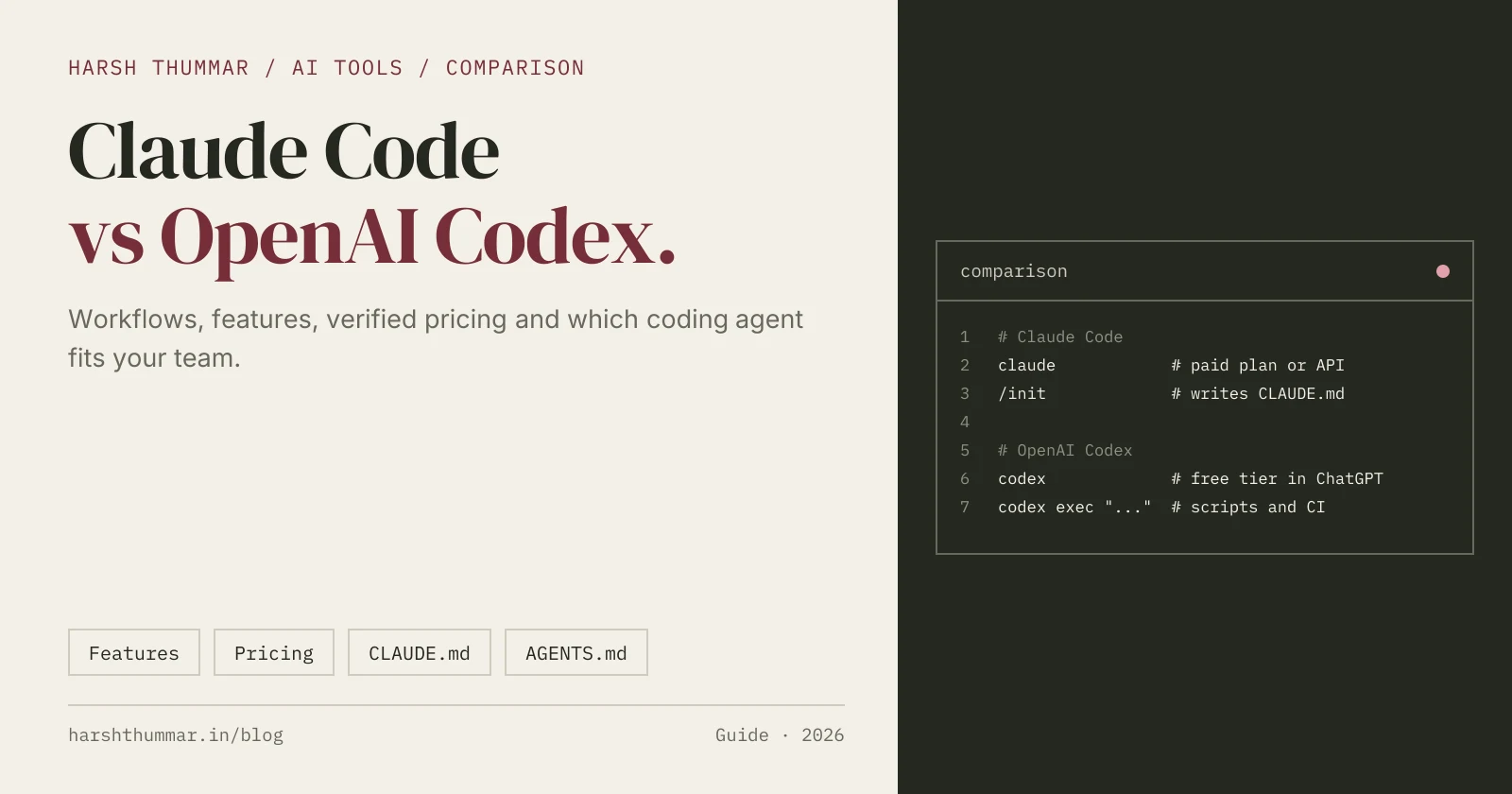
Claude Code and OpenAI Codex are the two best-known AI coding agents of 2026. Both take a task in plain English, read your codebase, edit files, run commands and report back. Both work in the terminal, inside VS Code and on the web. So which one should you use?
This comparison looks at how each tool works, what it does differently, what it costs, and where each one fits best. It is written for developers making a real decision, not as a ranking.
How to read this article: product facts and prices come from Anthropic's and OpenAI's official websites and documentation, last verified on 22 October 2026. Prices and plans change often, so check the official pages linked at the end before you buy. Sections marked as my opinion are exactly that. I have not run formal benchmarks, so this article does not claim that one tool writes better code than the other.
For quick profiles of each tool, see the Claude Code tool page and the OpenAI Codex tool page in my AI tools directory.
Quick Comparison
| Claude Code | OpenAI Codex | |
|---|---|---|
| Made by | Anthropic | OpenAI |
| Where it runs | Terminal (CLI), VS Code and JetBrains, desktop app, web | CLI, IDE extension (VS Code, Cursor, Windsurf), desktop app, web through ChatGPT |
| Free option | No, not on the Claude Free plan | Yes, limited usage on the ChatGPT Free plan |
| Entry paid plan | Claude Pro, $20/month ($17/month billed annually) | ChatGPT Go, $8/month, or Plus, $20/month |
| Pay per use | Yes, through a Claude Console (API) account | Yes, with an OpenAI API key |
| Project instructions | CLAUDE.md | AGENTS.md (an open format read by several agents) |
| Cloud tasks | Yes, on the web | Yes, cloud tasks in ChatGPT |
| Non-interactive mode | Yes | Yes, codex exec |
| MCP support | Yes, claude mcp add | Yes, codex mcp add or config.toml |
| Windows | Native (PowerShell) or WSL | Native with a Windows sandbox, or WSL 2 |
What Is Claude Code?
Claude Code is Anthropic's agentic coding tool. You start it in a project folder, describe a task, and it searches the codebase, plans a change, edits files across the project and runs shell commands such as builds and tests, asking permission for actions you have not pre-approved.
It started as a command-line tool and now also runs as a VS Code extension, a JetBrains plugin, a desktop app and on the web. A key part of how it works is CLAUDE.md, a Markdown file in your repository that Claude Code reads at the start of each session for commands, conventions and rules.
Other building blocks you will meet quickly:
- Slash commands such as
/init(create CLAUDE.md),/compact,/rewind,/permissionsand/ide(connect a terminal session to your editor). - MCP servers, added with
claude mcp add, to connect tools like issue trackers or documentation. - Hooks and subagents for customising and splitting work (
/hooks,/agents).
My full walkthrough is in the Claude Code setup guide.
What Is OpenAI Codex?
Codex is OpenAI's coding agent. You can run it locally in a terminal through the Codex CLI, inside your editor through the IDE extension, in the Codex desktop app, or delegate cloud tasks from ChatGPT on the web. It can answer questions about a codebase, write features, fix bugs, refactor and review code.
Codex's project instructions live in AGENTS.md, an open format that several other agents also read. Local work happens inside a sandbox with explicit modes (read-only, workspace-write, danger-full-access) and an approval policy, which makes its safety model easy to reason about.
Because Codex is included with ChatGPT plans, many developers already have access without a separate subscription. My full walkthrough is in the OpenAI Codex CLI setup guide.
Feature-by-Feature Comparison
Interfaces and where you work
Both tools cover the same surfaces: terminal, editor, desktop and web. Claude Code has an official JetBrains plugin alongside VS Code. Codex's IDE extension works in VS Code, Cursor and Windsurf, and OpenAI lists separate Xcode and JetBrains integrations.
In practice, both let you stay in the terminal or stay in your editor. If your team is split between VS Code and JetBrains, check that the integration you need is available for your IDE version.
Project instructions: CLAUDE.md vs AGENTS.md
- Claude Code reads CLAUDE.md. Running
/initgenerates a first version from your project. - Codex reads AGENTS.md from the repository root down to your working folder, with the nearest file taking priority. The combined instructions are limited to 32 KiB.
AGENTS.md is also read by GitHub Copilot, Cursor, Google Antigravity and Devin, so it is the more portable format. If your team uses several agents, a common approach is to keep shared rules in AGENTS.md and reference them from CLAUDE.md, so both tools follow the same instructions.
Safety model and permissions
- Claude Code uses permissions: it asks before running commands or edits you have not allowed, and
/permissionscontrols what it may do without asking. On Windows, sandboxing requires WSL 2. - Codex uses a sandbox mode plus an approval policy.
workspace-writewith approvalson-requestis a sensible default: it can edit inside your project but asks before going further.
Both approaches work. Codex's named sandbox modes are explicit and easy to explain to a team. Claude Code's permission rules are fine-grained and can be shared per project.
Automation and CI
- Codex has
codex execfor non-interactive runs. It is read-only by default, can write with--sandbox workspace-write, and can print JSON for other tools. - Claude Code also supports non-interactive use for scripts, and its hooks let you run your own commands at points in its workflow.
If you plan to run an agent in CI, read each tool's current documentation for headless authentication and permissions before you wire it in.
Extending with MCP
Both support the Model Context Protocol:
# Claude Code
claude mcp add --transport http notion https://mcp.notion.com/mcp

# Codex
codex mcp add context7 -- npx -y @upstash/context7-mcp
Claude Code can store project servers in a shared .mcp.json. Codex stores servers in ~/.codex/config.toml, or a project .codex/config.toml in trusted projects.
Cloud and parallel work
Both can run tasks away from your machine. Codex cloud tasks run from ChatGPT, and the docs encourage running several tasks in parallel and reviewing each result. Claude Code also runs on the web. If parallel, delegated work is central to your workflow, try both with the same set of tickets and compare how easy the results are to review.
Pricing Comparison (Verified 22 October 2026)
Claude Code
| Plan | Price | Notes |
|---|---|---|
| Claude Free | Not included | Claude Code is not part of the Free plan |
| Pro | $20/month | $17/month billed annually |
| Max | From $100/month | Higher usage limits |
| Team | Per seat | Standard and premium seats, monthly or annual |
| Enterprise | Per seat plus usage | Contact sales |
| API (Claude Console) | Pay as you go | Billed by usage |
OpenAI Codex
| Plan | Price | Notes |
|---|---|---|
| ChatGPT Free | $0 | Limited, for quick coding tasks |
| Go | $8/month | |
| Plus | $20/month | |
| Pro | From $100/month | Much higher limits |
| Business | $25/user/month | $20/user/month billed annually |
| Enterprise and Edu | Contact sales | |
| API key | Pay as you go | OpenAI API rates |
What this means: Codex has a free way in and a cheaper entry plan. Claude Code requires a paid plan or API usage from day one. At $20 per month, the two mainstream plans cost the same. Usage limits differ by plan and change over time, and neither company publishes them as simple numbers, so if you are a heavy user, check the current limits on each pricing page.
Advantages and Limitations
Claude Code
Advantages
- Mature terminal workflow with rich slash commands, hooks and subagents.
- Official plugins for both VS Code and JetBrains.
- CLAUDE.md and
/initmake project onboarding quick. - Fine-grained permission rules you can share across a team.
Limitations
- No free access; you need a paid Claude plan or API billing.
- Sandboxing on Windows requires WSL 2.
- CLAUDE.md is specific to Claude Code, so teams using several agents need to share rules deliberately.
OpenAI Codex
Advantages
- Included with ChatGPT plans, including a limited Free tier.
- Clear sandbox modes and approval policies.
codex execwith JSON output is convenient for scripts.- AGENTS.md is a shared format other agents also read.
Limitations
- Usage limits are shared with other ChatGPT agent features.
- Some features roll out gradually by plan.
- The docs recently moved and several flags changed (for example
--full-autois no longer supported), so older tutorials can be out of date.
Example Workflows
Fixing a bug end to end
- Ask the agent to explain the relevant code: "Where do we calculate invoice totals, and how is it tested?"
- Give a precise task: "Rounding is wrong for amounts with three decimals. Fix it and add a regression test."
- Let it run the tests and fix what fails.
- Review the diff in your editor.
Both tools handle this loop. The difference is mostly setup: permissions in Claude Code, sandbox mode in Codex.
Delegating a batch of small tasks
Write three or four well-scoped tickets, such as adding missing tests, updating a dependency or fixing lint warnings. Send them as cloud tasks (Codex) or web sessions (Claude Code), then review each result separately. Keep tasks in different parts of the codebase so they don't conflict.
Scripted checks
Use codex exec "summarize risky changes in this branch" in a script, or Claude Code's non-interactive mode, to produce a review note before a human looks at the pull request.
Ease of Use and Learning Curve
Both install in a minute with an official script and sign in through the browser. In my opinion:
- Codex is easier to try, because many developers already have ChatGPT and the Free tier lowers the barrier.
- Claude Code rewards investment. Its commands, hooks and CLAUDE.md conventions take a little longer to learn, but give you a lot of control once you do.
Code quality depends heavily on your instructions, tests and task size. Since I haven't benchmarked them, the fairest advice is to try both on the same real task in your own repository.
Which Should You Choose?
Choose Claude Code if
- You live in the terminal and want deep control over permissions, hooks and commands.
- Your team uses JetBrains IDEs as well as VS Code.
- You already pay for a Claude plan, or prefer API billing.
Choose OpenAI Codex if
- You already have ChatGPT and want an agent without another subscription.
- You want to start for free or on a low-cost plan.
- You like explicit sandbox modes and scriptable
codex execruns. - Your team standardises on AGENTS.md across several agents.
Use both
Many teams do. Put shared rules in AGENTS.md, reference them from CLAUDE.md, and pick the agent per task.
Final Verdict
There is no universal winner. On the verified facts, Codex is more accessible (free tier, $8 entry plan, included with ChatGPT), while Claude Code is a paid tool with a deep, configurable terminal workflow and official VS Code and JetBrains plugins. Both cover the same core job well enough that your choice should come from your budget, your editor, the subscriptions you already have and a hands-on trial in your own codebase.
Official Sources
- Claude Code product page and Claude pricing
- Claude Code documentation
- OpenAI Codex and Codex pricing
- Codex documentation
All prices and plan details last verified on 22 October 2026.
Related Guides
- Claude Code: features, pricing and alternatives →The quick profile with verified plans.
- OpenAI Codex: features, pricing and alternatives →Codex plans from Free to Pro.
- Claude Code Setup Guide →Install Claude Code and connect it to VS Code.
- OpenAI Codex CLI Setup Guide →Install Codex, sign in and configure AGENTS.md.
- Cursor vs GitHub Copilot →The same decision for AI code editors.
- AI Tools for Developers →Compare every coding agent, editor and app builder.
Frequently Asked Questions
Is Claude Code better than OpenAI Codex?
Neither is better for everyone. Codex is easier to start with because it has a free tier and is included with ChatGPT plans. Claude Code requires a paid plan but offers a very configurable terminal workflow. Try both on a real task in your own codebase.
Is Claude Code free?
No. Claude Code is not included in the Claude Free plan. It comes with Claude Pro ($20 per month, or $17 per month billed annually) and higher plans, or pay-as-you-go API usage.
Is OpenAI Codex free?
Codex is included in the ChatGPT Free plan with limited usage. Paid ChatGPT plans such as Go ($8 per month) and Plus ($20 per month) raise the limits.
Can Claude Code and Codex use the same instructions file?
Codex reads AGENTS.md and Claude Code reads CLAUDE.md. You can keep shared rules in AGENTS.md and reference them from CLAUDE.md so both agents follow the same instructions.
Do both work in VS Code?
Yes. Claude Code has an official VS Code extension (anthropic.claude-code) and Codex has an official IDE extension (openai.chatgpt) that also works in Cursor and Windsurf.
Which is better on Windows?
Both run natively on Windows. Codex uses its own Windows sandbox, and WSL 2 is optional. Claude Code runs natively with PowerShell, and its sandboxing requires WSL 2.
Conclusion
Claude Code and Codex solve the same problem in similar ways. Codex wins on accessibility and price of entry. Claude Code wins on depth of terminal control and JetBrains support. Start with whichever matches the subscription you already have, give it a clear AGENTS.md or CLAUDE.md, and judge it on your own code.
Compare more coding agents in the AI tools directory.